First of all, we are very sad to see you leave. If something went wrong or isn’t working as expected. Feel free to reach out to the support and we’ll do our best to fix it.
If not, or if you no longer need the app and have chosen to uninstall the app, the steps are pretty easy. Follow the steps below:
-
Open the app on your store.
-
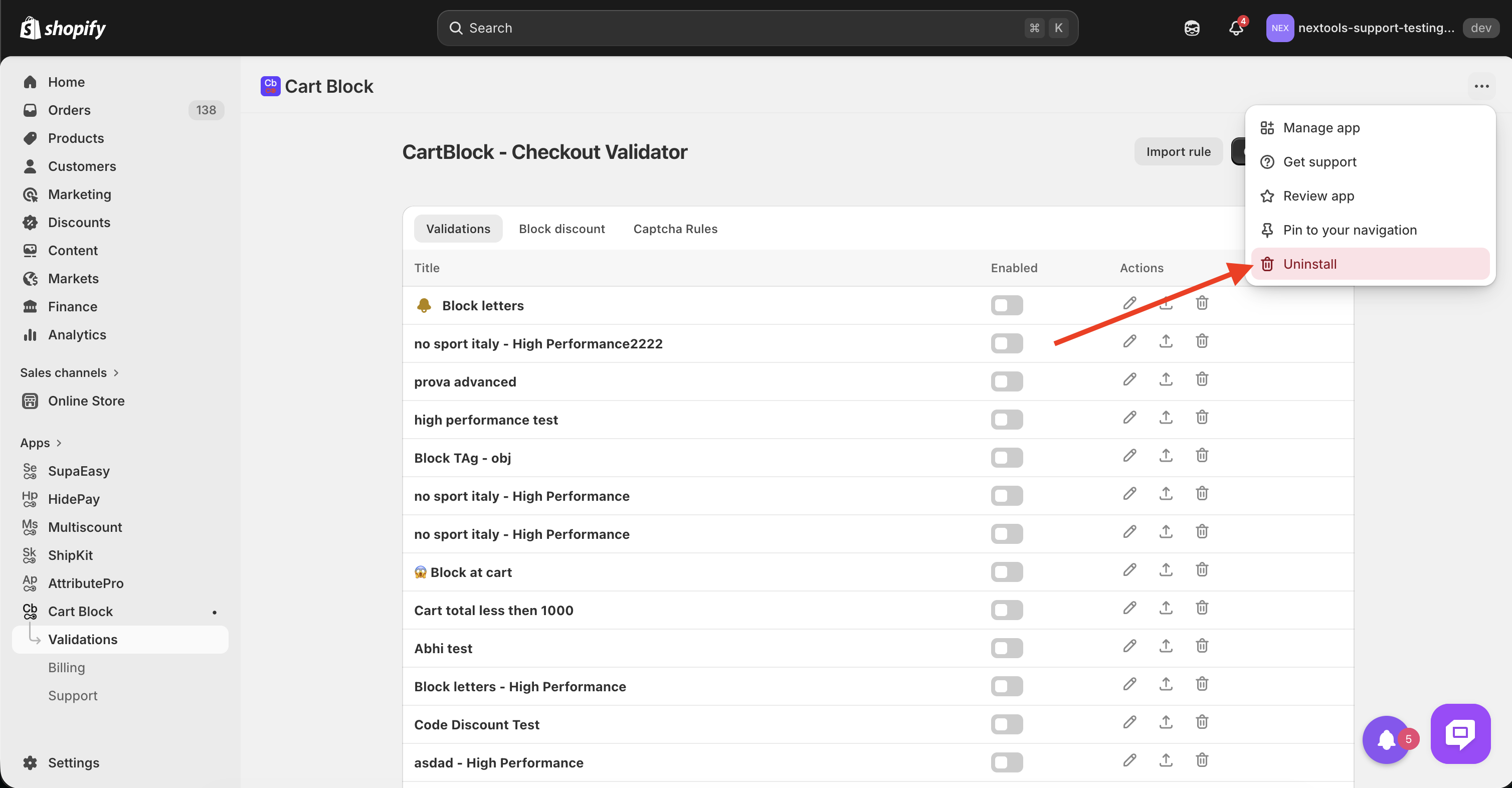
Click on the 3 dots parallel to the name of the app and hit the uninstall button:
-
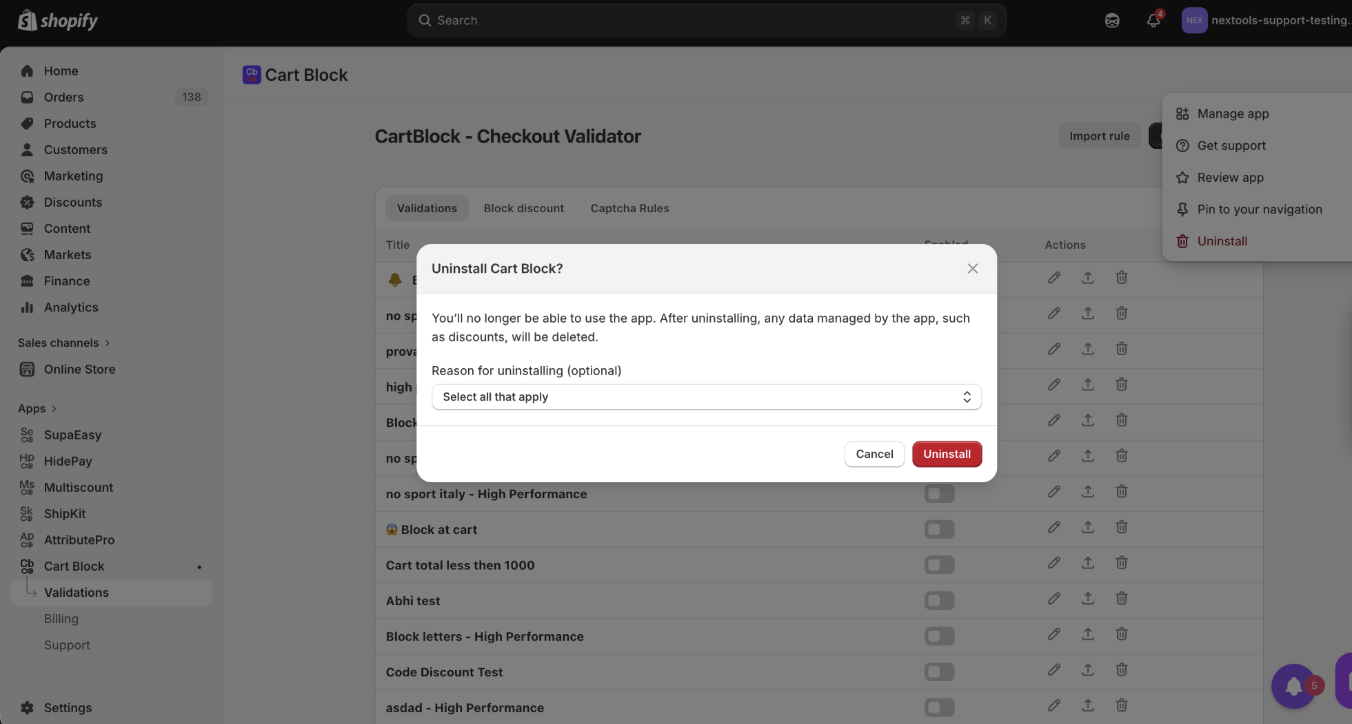
Select the reason from the options list and hit the uninstall button:
-
It’ll process your request and uninstall the app immediately!
