This tutorial will guide you step-by-step through the process of uninstalling the Hook2Flow application from your Shopify store and delete your subscription. Follow the instructions below.
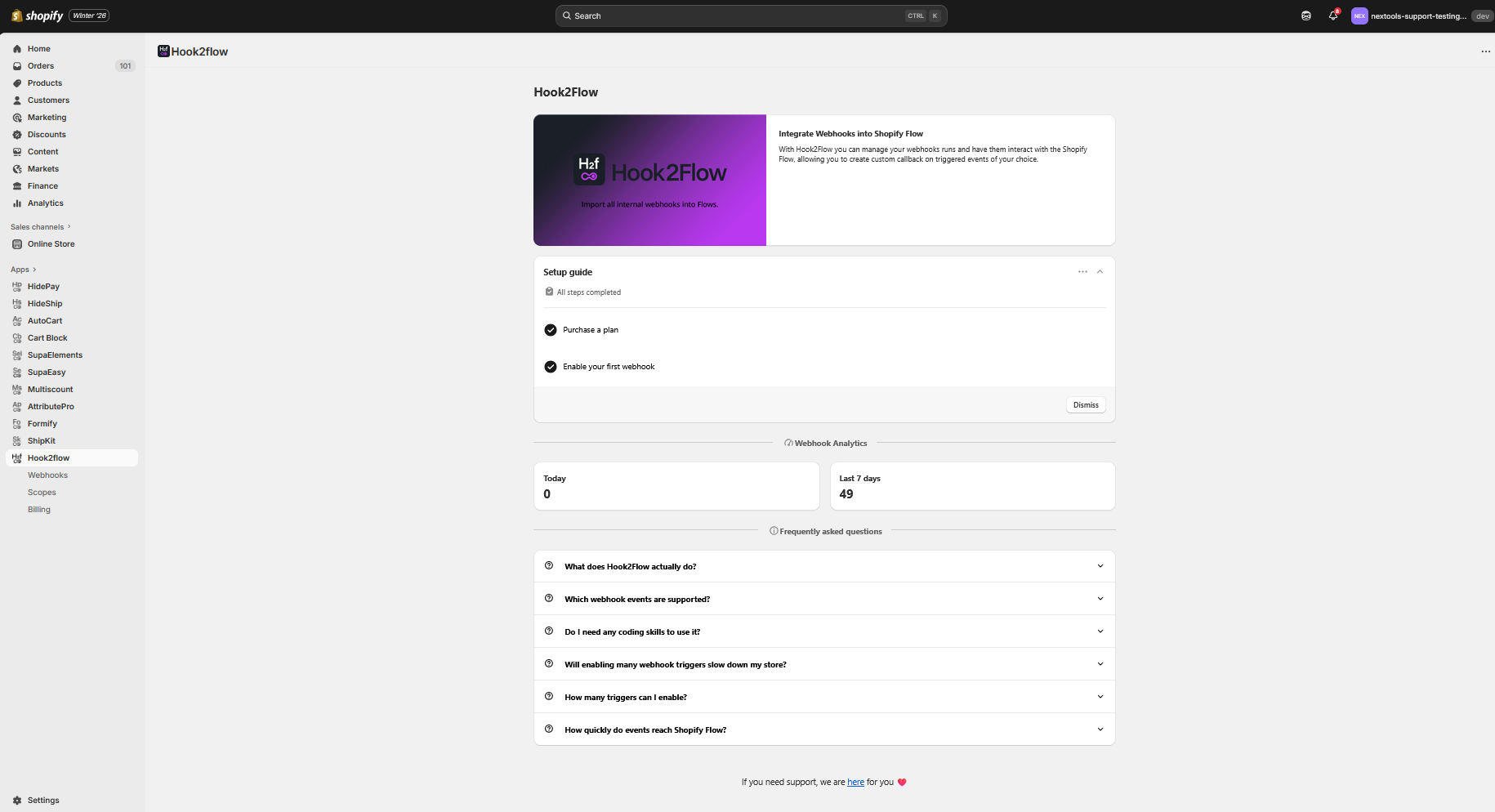
First, open your Shopify admin panel. At the bottom-left corner of the page, click on the Settings button.

Once you click the Settings button, a new settings page will open.
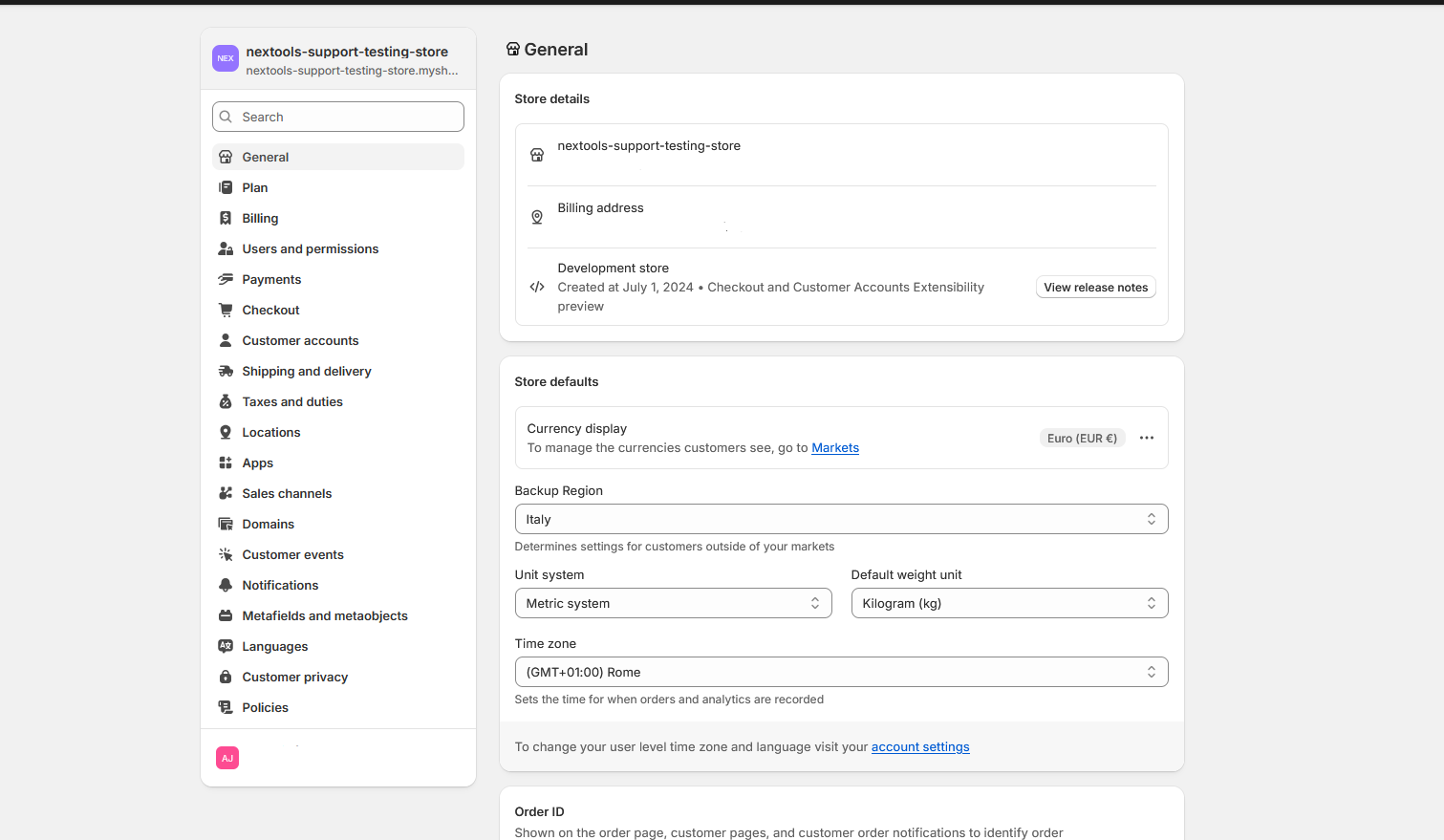
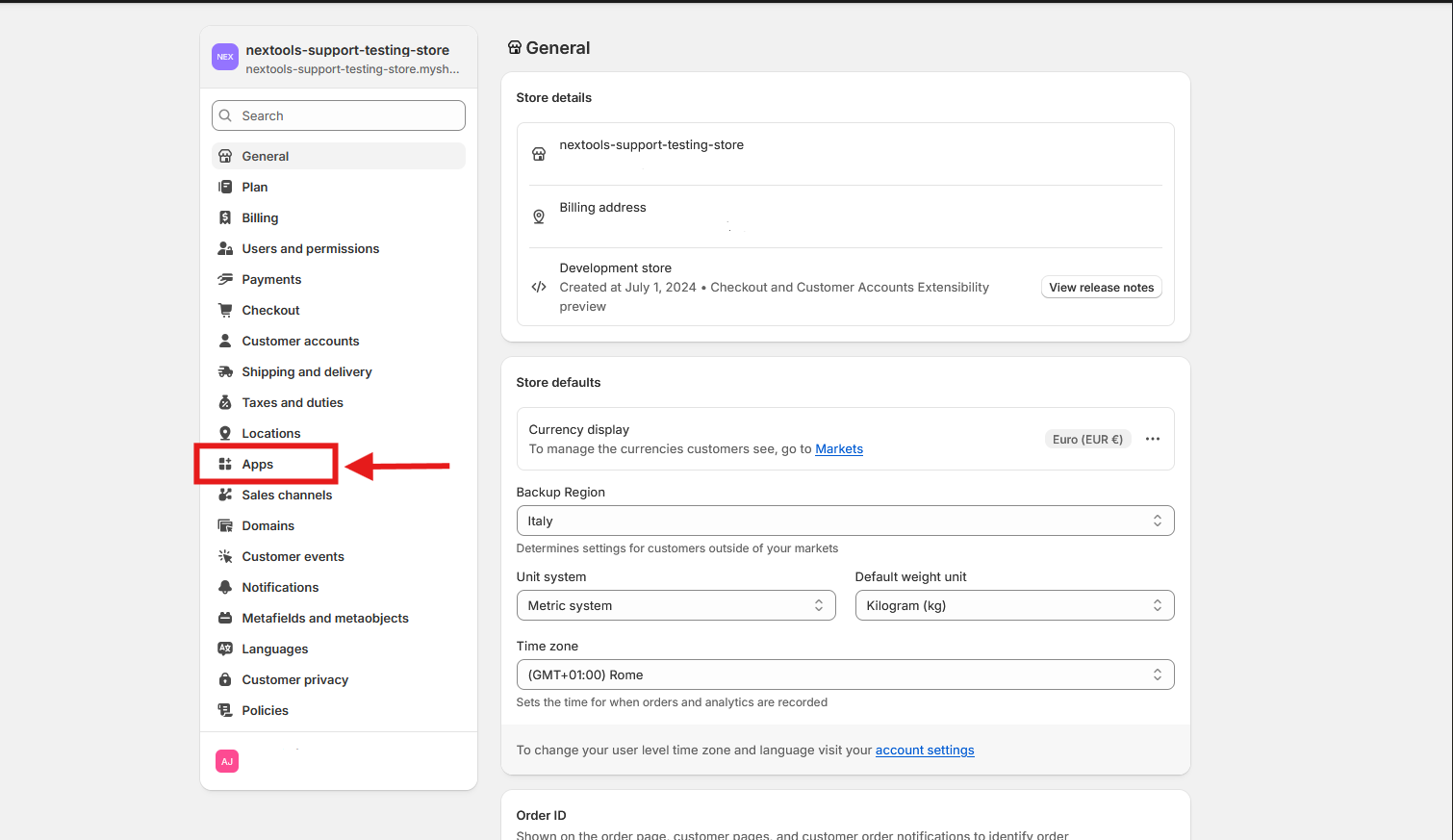
Next, click on the Apps section.
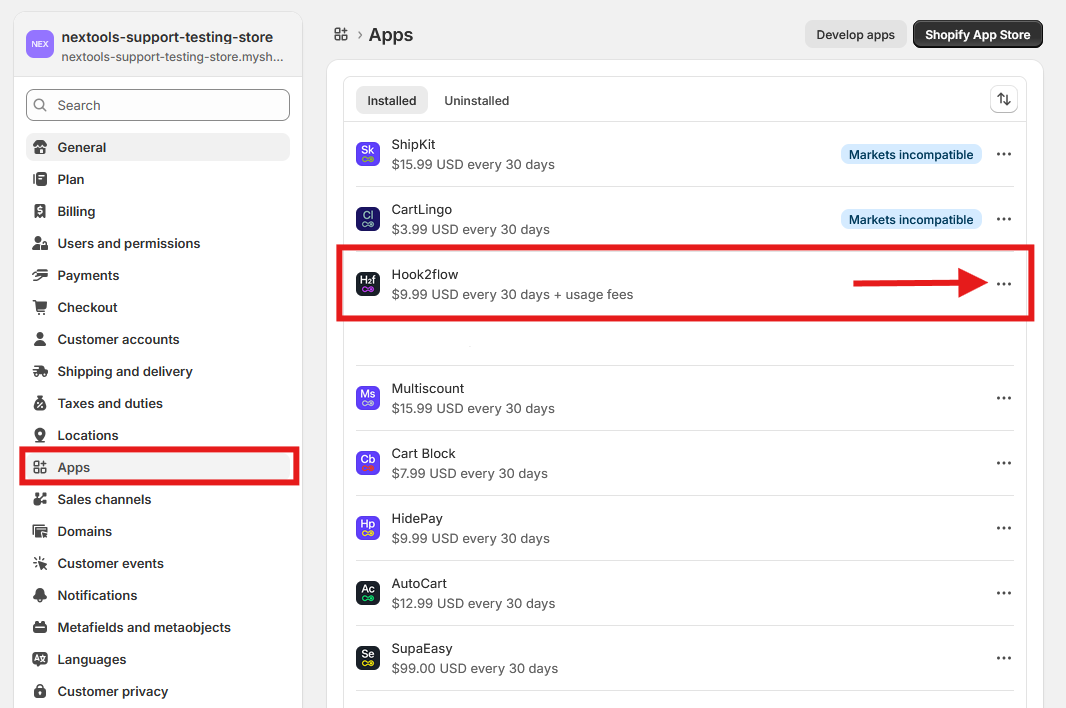
Locate the Hook2Flow application in the list and click the three-dots options next to it.
In the menu list that appears, select the last option to Uninstall the application.
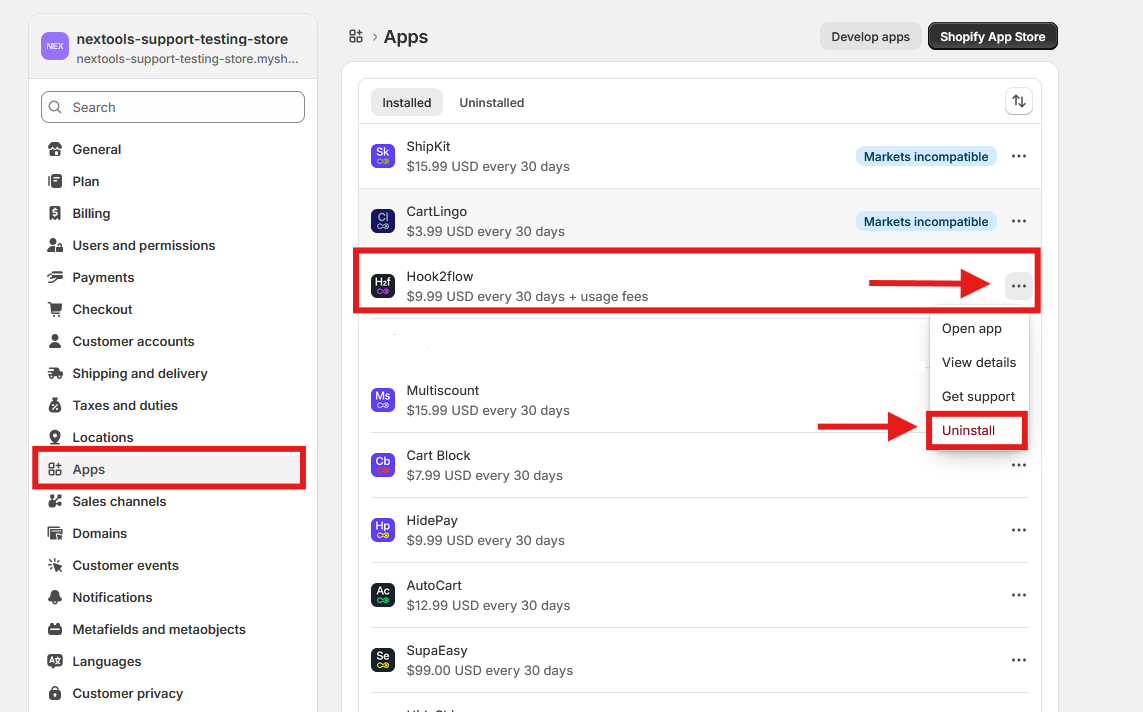
By following these steps, the application will be uninstalled and, as a result, the user will be unsubscribed from their current plan, immediately stopping any further charges.
For more information, you can reach us via email or live chat.
We are always happy to assist you with any questions or concerns.
Thank you for trusting Nextools and using the Hook2Flow application.
