To install the app you can follow these simples steps:
-
Visit the Shopify App Store page:
https://apps.shopify.com/shipkit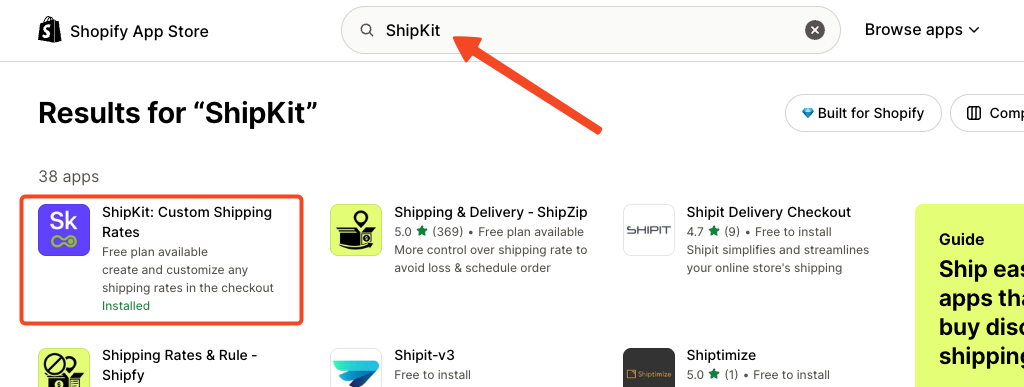
-
Click Install.
-
The app will be added to your store automatically.
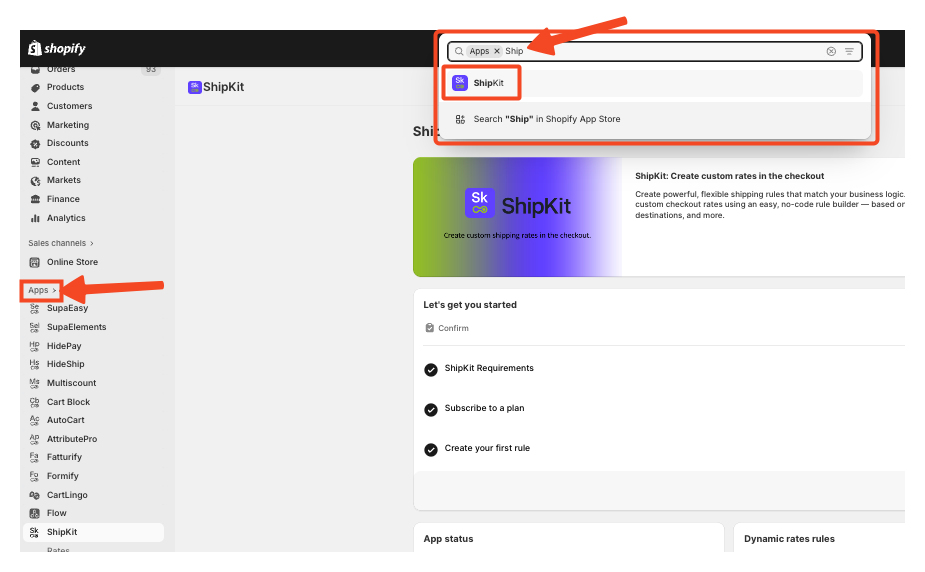
-
Open ShipKit and go to Billing.

-
Subscribe to the Premium Plan and approve the charge.
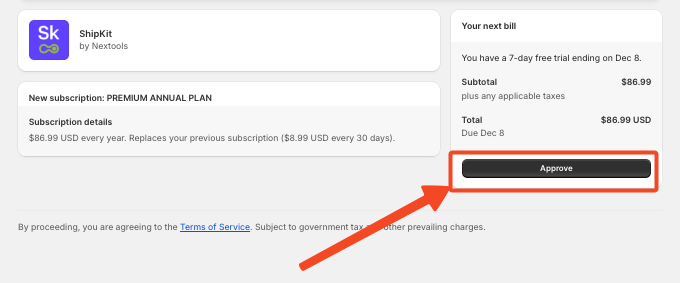
Once your subscription is active, you can immediately start creating your first Dynamic Shipping Rate.
It’s important to remember in order to use ShipKit, your Shopify store must meet at least one of the following:
-
Be on the Advanced Shopify plan or higher
-
Be on the Shopify plan with yearly billing, or have the carrier service API enabled by Shopify Support
If your store doesn’t meet the requirements, contact Shopify Support to enable the Carrier Service API.
This is mandatory to use ShipKit
If you have any questions or need assistance during setup, our team is here to help. You can contact the Nextools Support Team anytime via the in-app live chat or by email. We’ll be happy to assist you.
