With Flow, you can easily export and import functions between different Shopify stores. This is especially helpful if you're managing multiple stores or want to reuse complex logic without rebuilding it from scratch.
Here’s how to do it:
Exporting a Flow Function
-
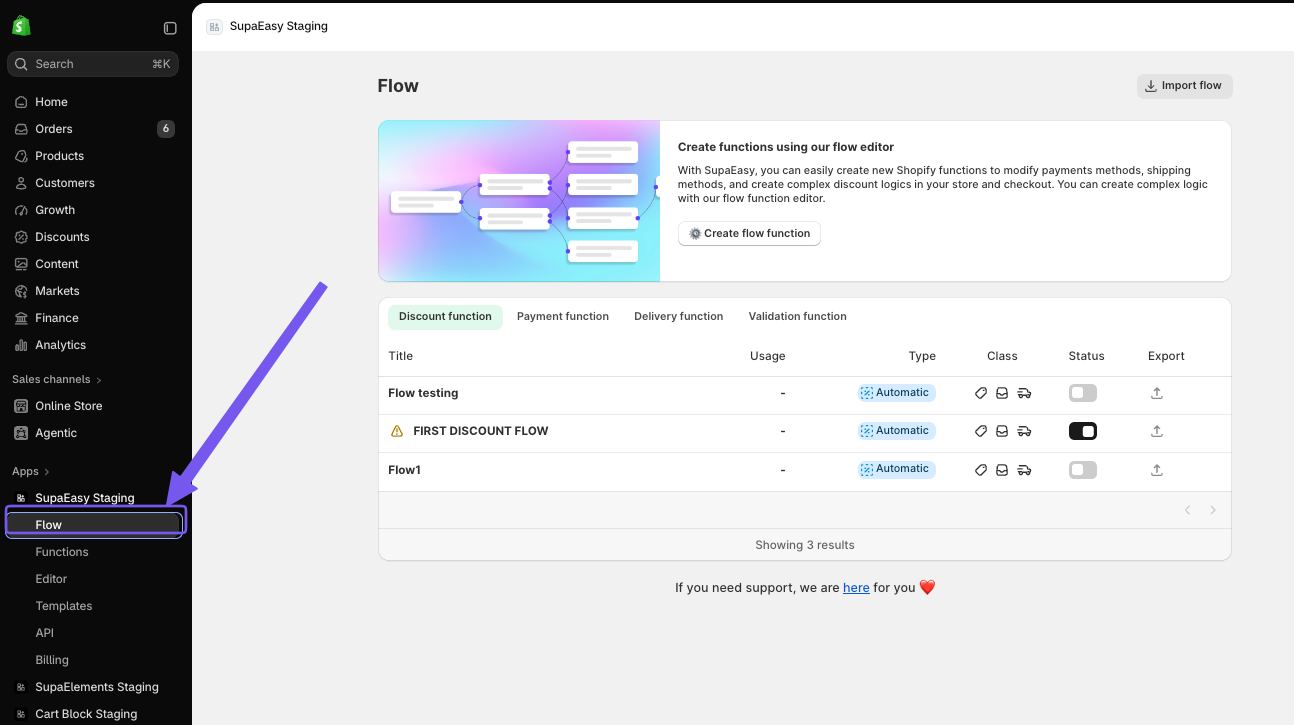
Go to the Flow dashboard inside SupaEasy.
-
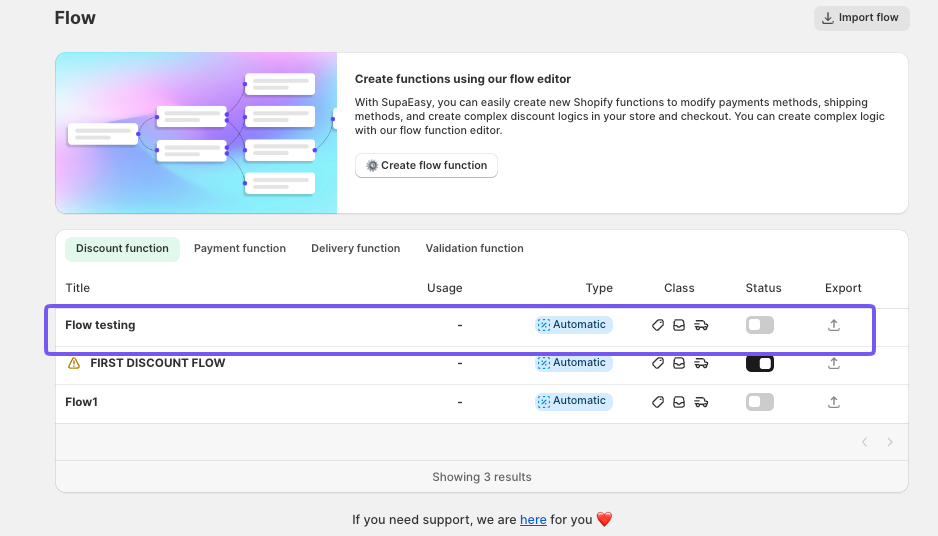
Find the function you want to export.
-
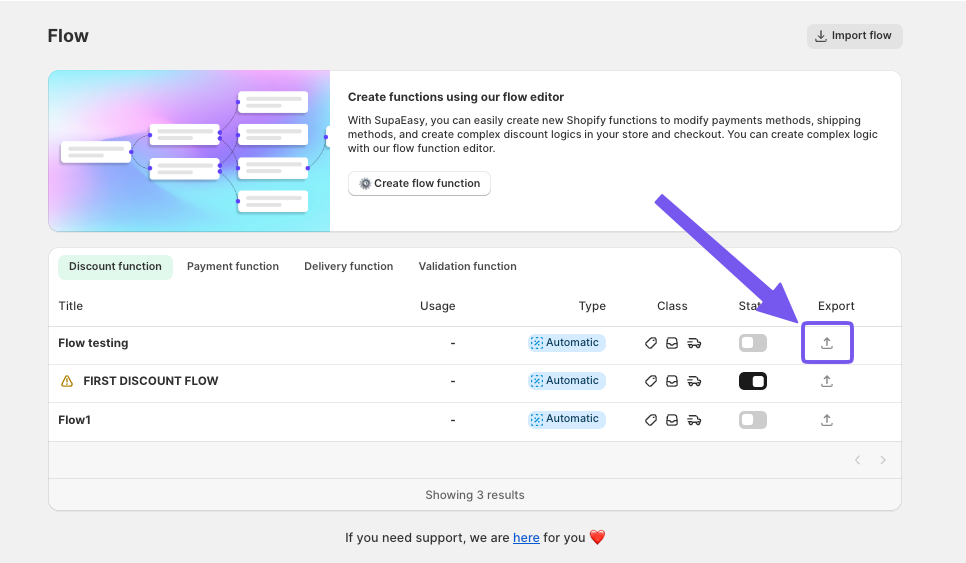
On the right-hand side of the function, click the arrow icon (export symbol).
-
Choose the folder where to save the file either on your computer or in your cloud storage.
Importing a Flow Function:
-
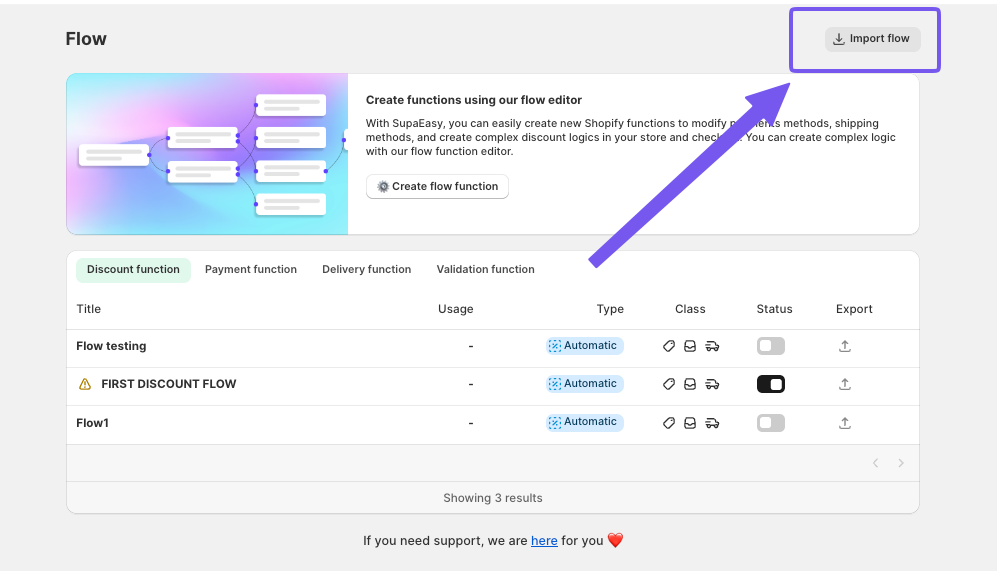
From the Flow dashboard, click the “Import Flow” button at the top right.
-
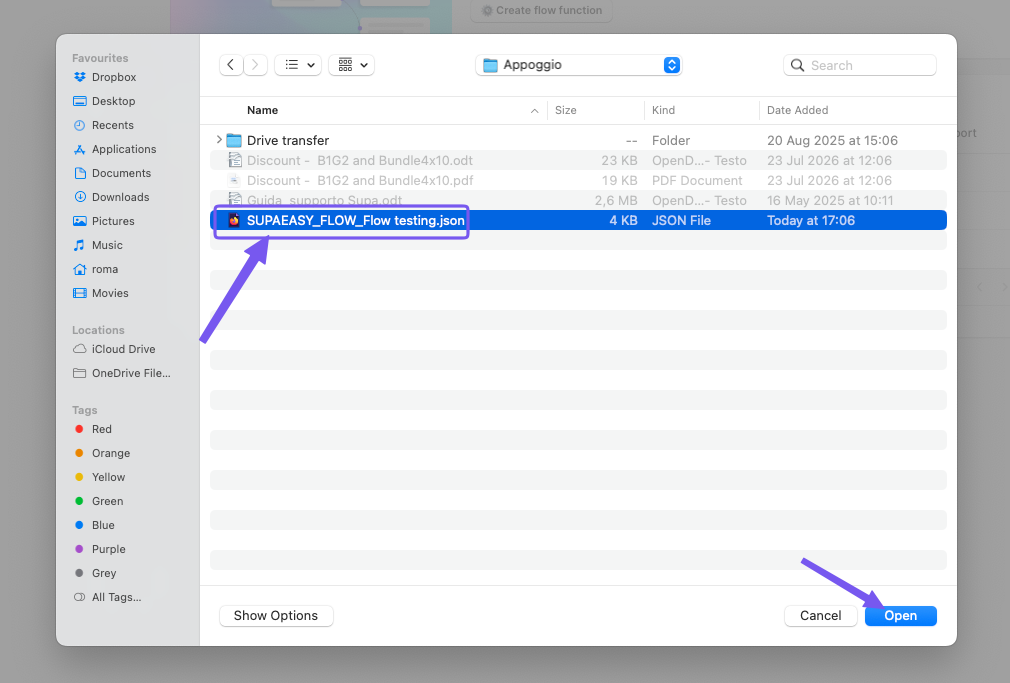
Select the previously saved file from your device.
-
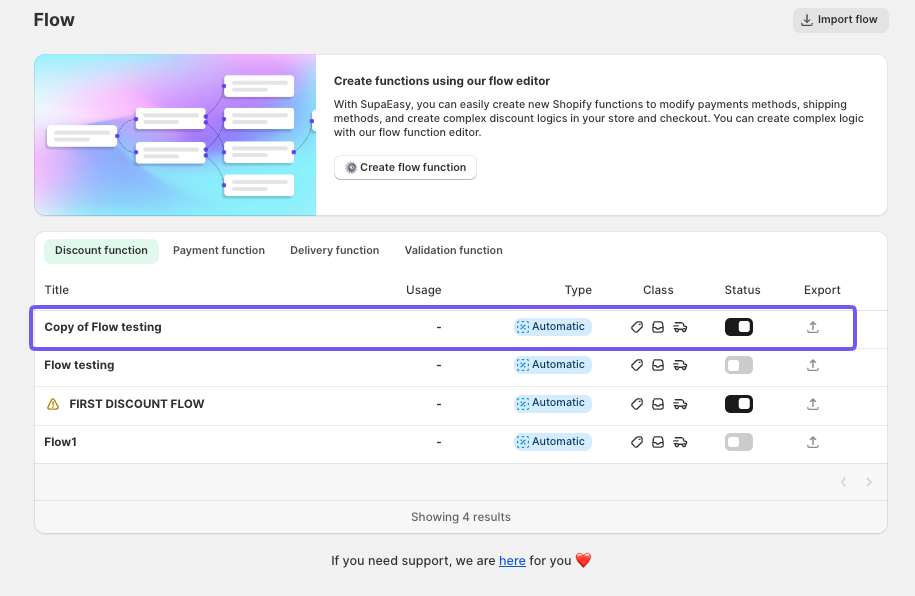
The imported function will open, you can work on it, and when you have made the changes, you can save it.
-
To make it active, simply toggle the switch next to the function name.
That’s it! Your function is now ready to use in the new store!
