In this guide, we'll show you how to securely share your SupaEasy logs with the Nextools development team.
Because of a new update from the shopify end
Sharing your logs helps us verify which payment methods are being displayed and quickly identify why a rule may not be working as expected.
Let's get started! Open Shopify and the SupaEasy app.
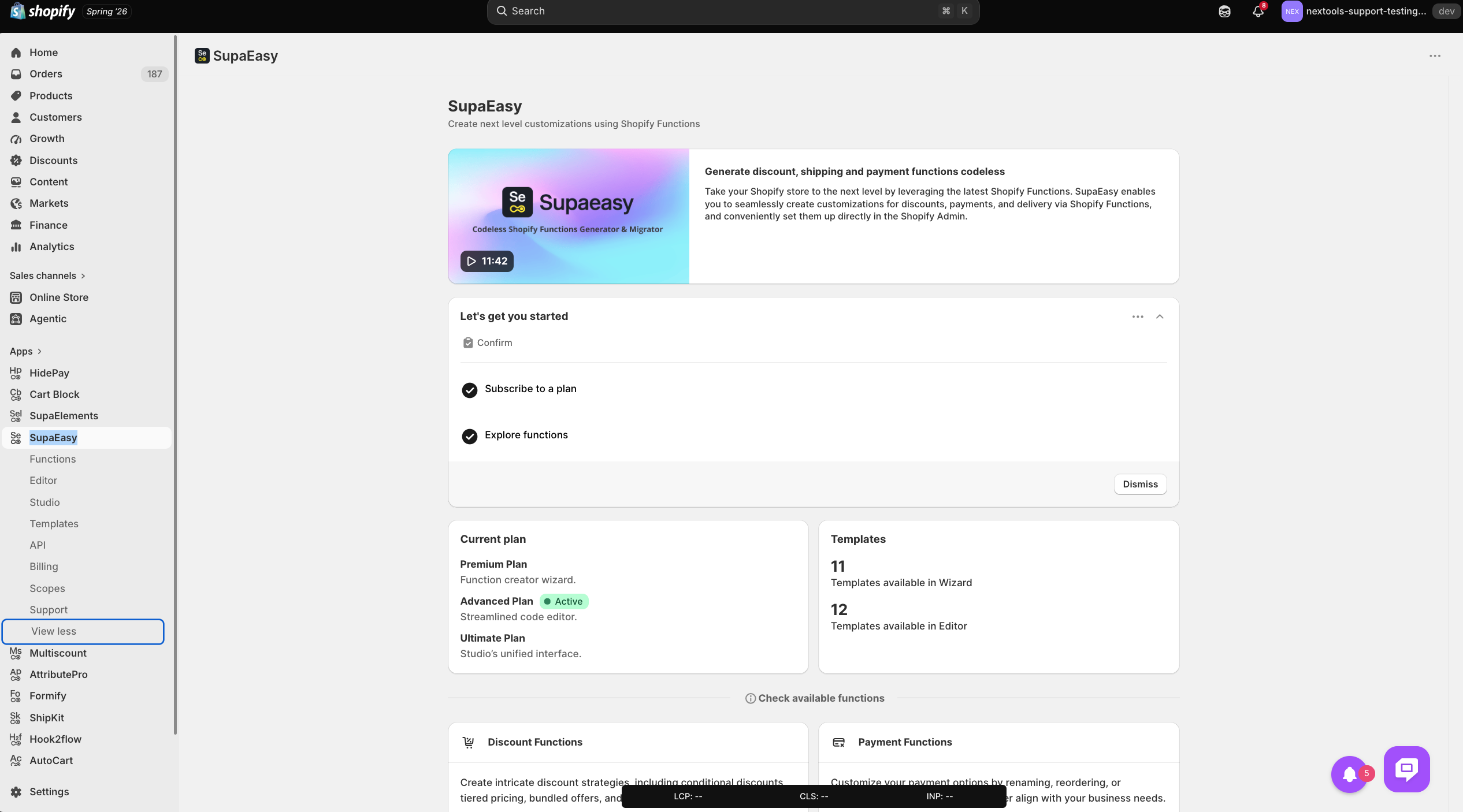
From the HidePay dashboard, navigate to the Scopes section.
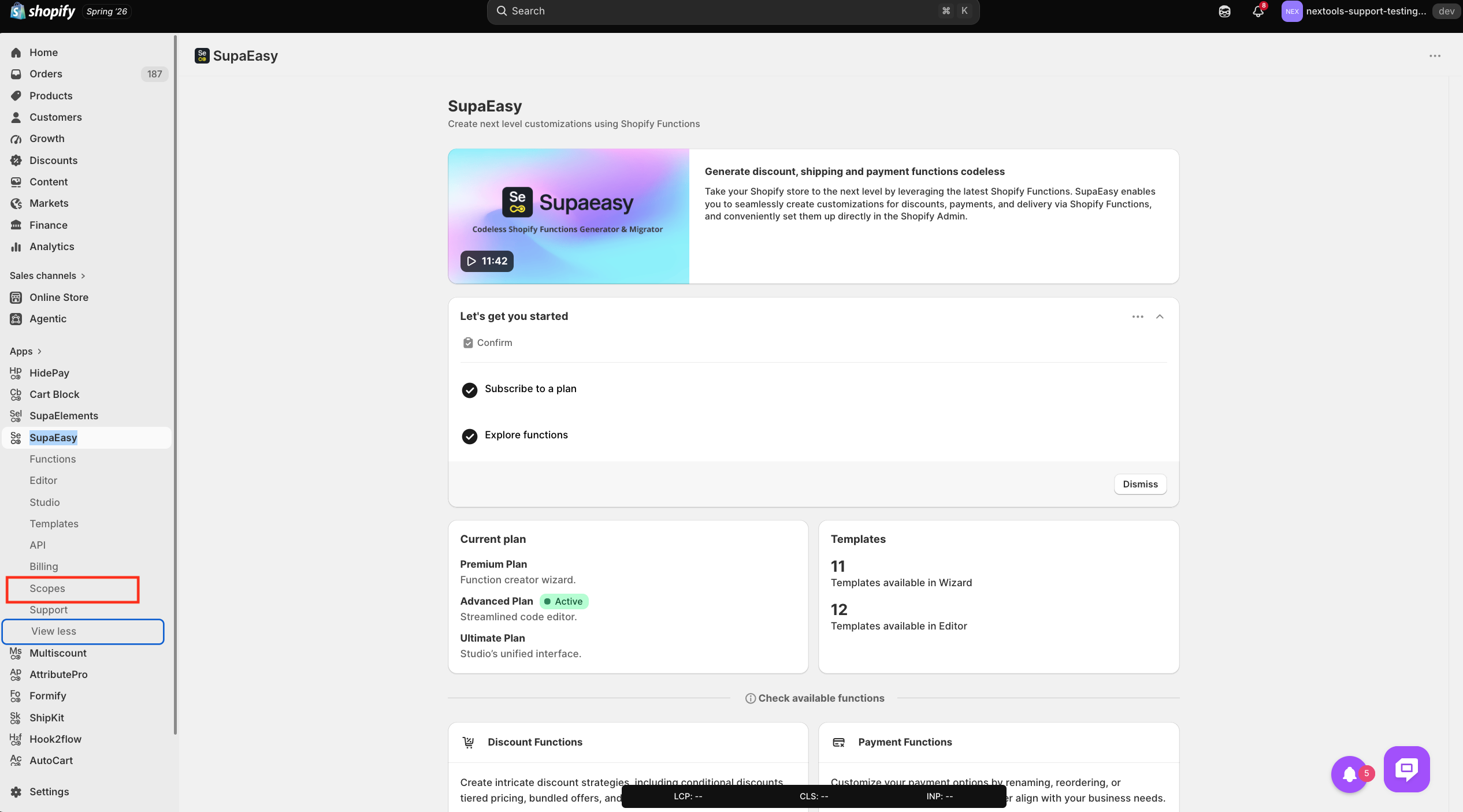
Enable the toggle button as per the function running in your store to grant the Nextools Development Team permission to access your application logs. This helps us:
- Verify the function
- Investigate why a function may not be working as expected.
- Troubleshoot issues more efficiently.
Log details are hidden due to these missing scopes: Read Customers & Read Products

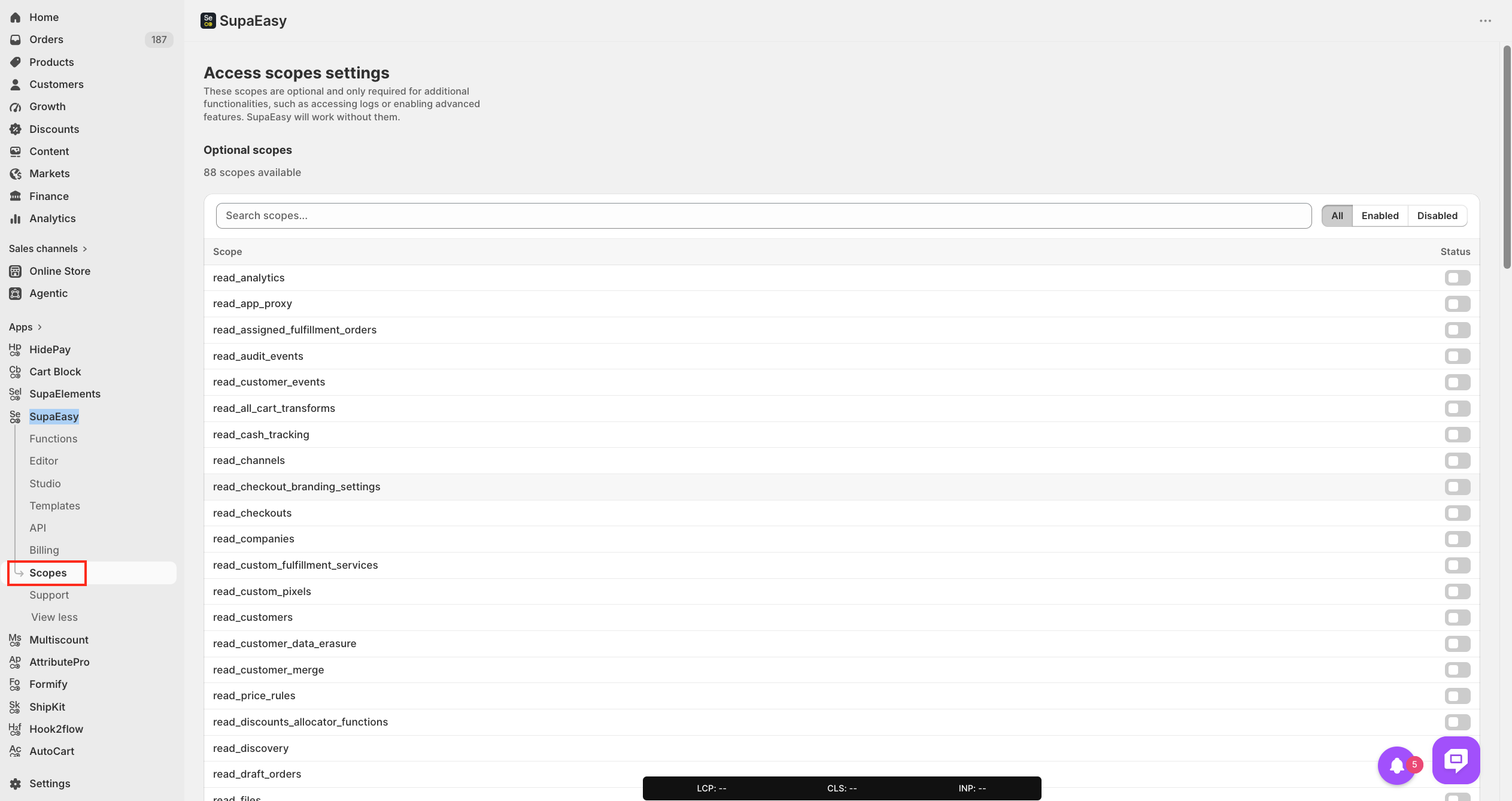
After enabling the toggle, click the Save button to apply the changes.
After clicking Save, a confirmation pop-up will appear displaying Shopify's permission request and terms.
Review the information, then click Update to grant log access.
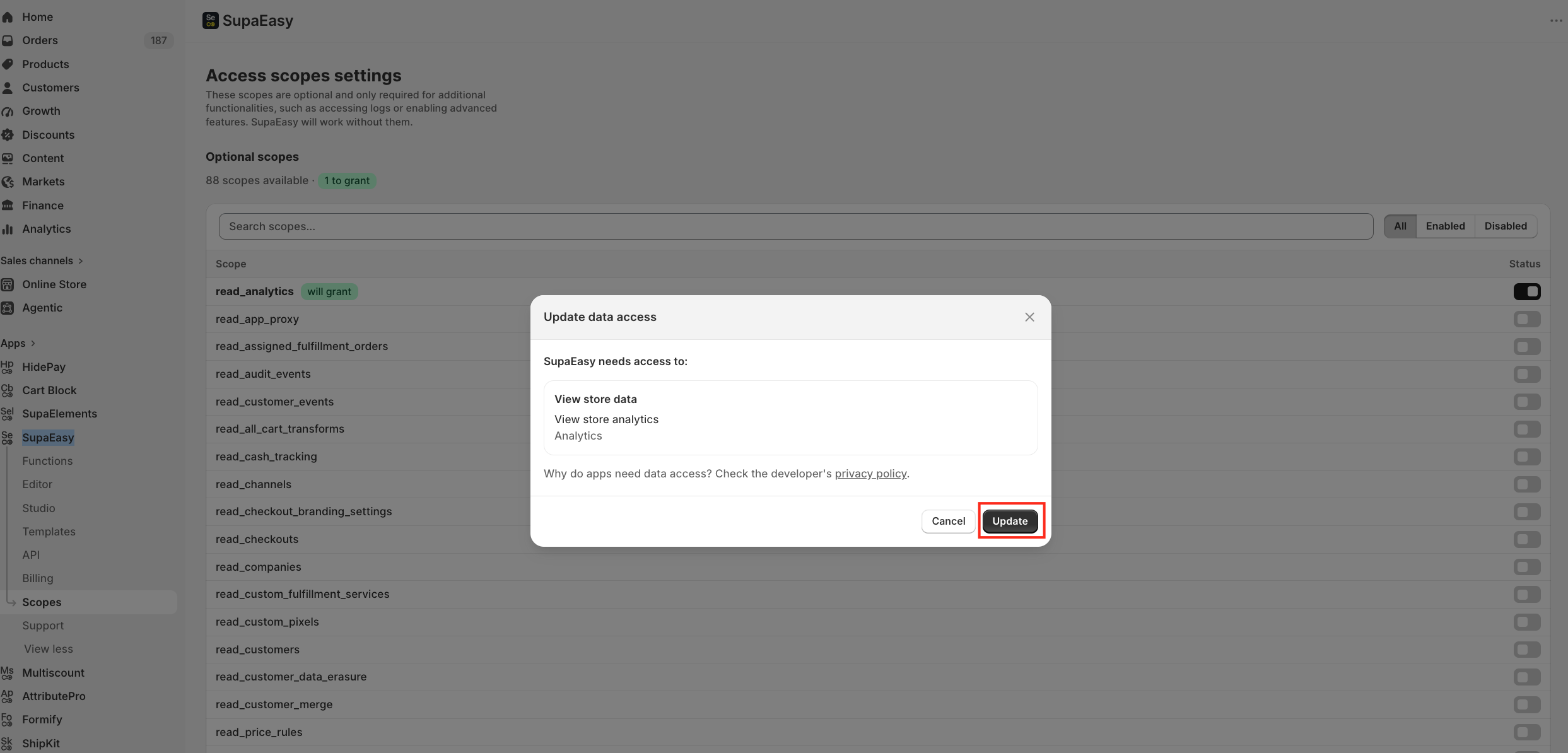
Important Privacy Notice: Granting log access only allows our Development Team to view the logs required for troubleshooting.
We cannot access: Customer information, Payment details and orders, or sensitive store data.
Your privacy and store security remain fully protected.
If you have any questions or need assistance during setup, our team is here to help. You can contact the Nextools Support Team anytime via the in-app live chat or by email.
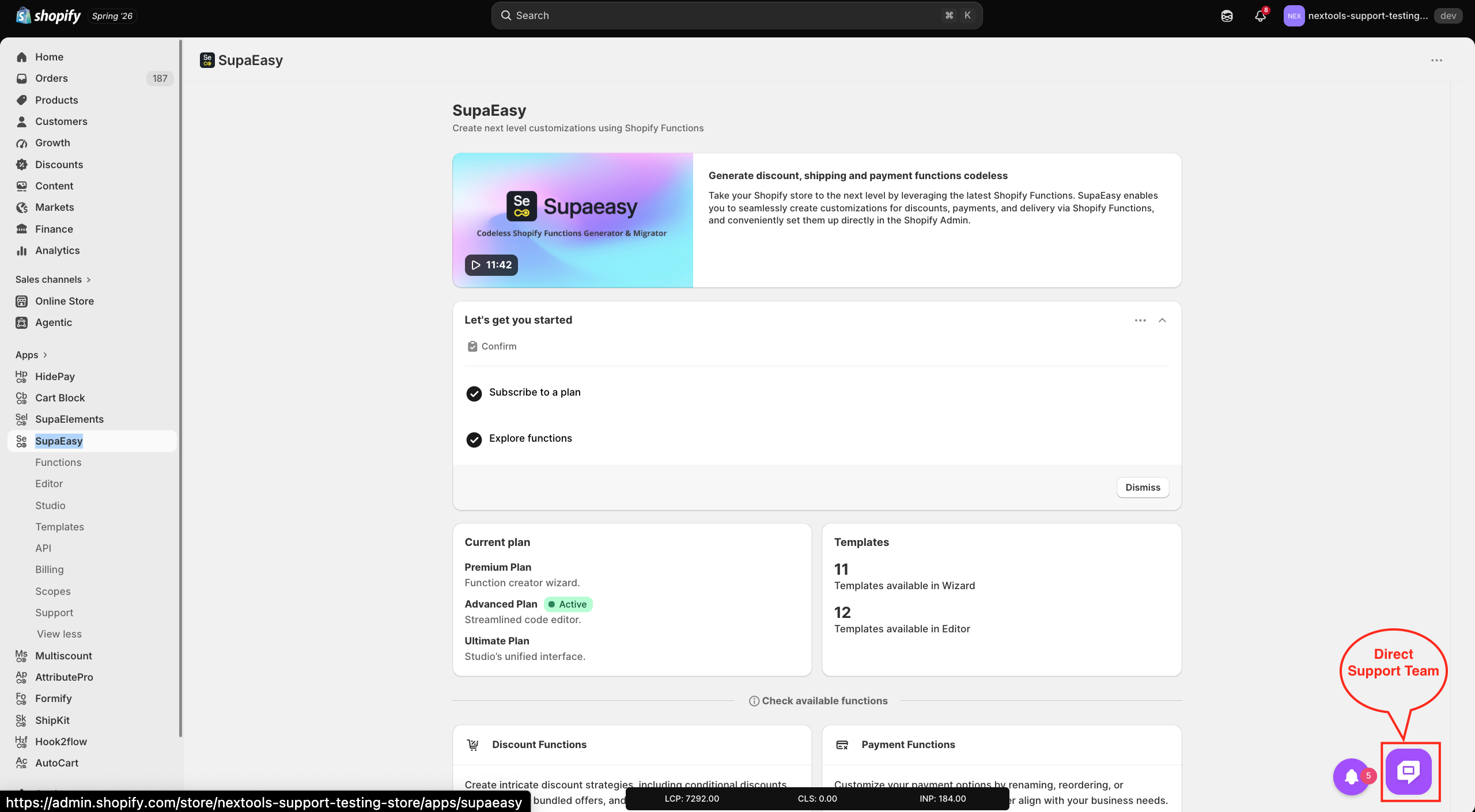
We’re always here to help you get the most out of SupaEasy! 🚀
