Conditions allow you to define rules that determine whether you need in your store.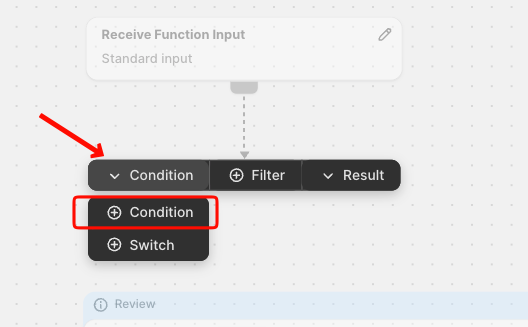 Each condition can be evaluated as True or False, and you can link each outcome to a different path.
As for this Examples:
-
Cart total > 50
-
Product tag contains “fragile”
-
Customer Tag “VIP”
Conditions let you build logic like:
-
“If condition is true → follow path A"
-
“If false → follow path B”
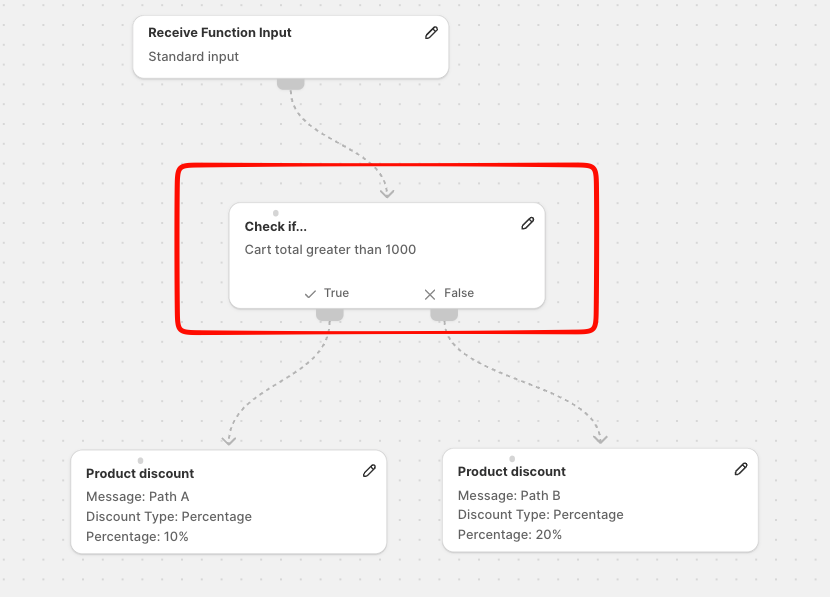
To set this you can simply double click on the node and click the Rule button
Now you need to select the condition you want to verify and the value of the condition and the Node is complete.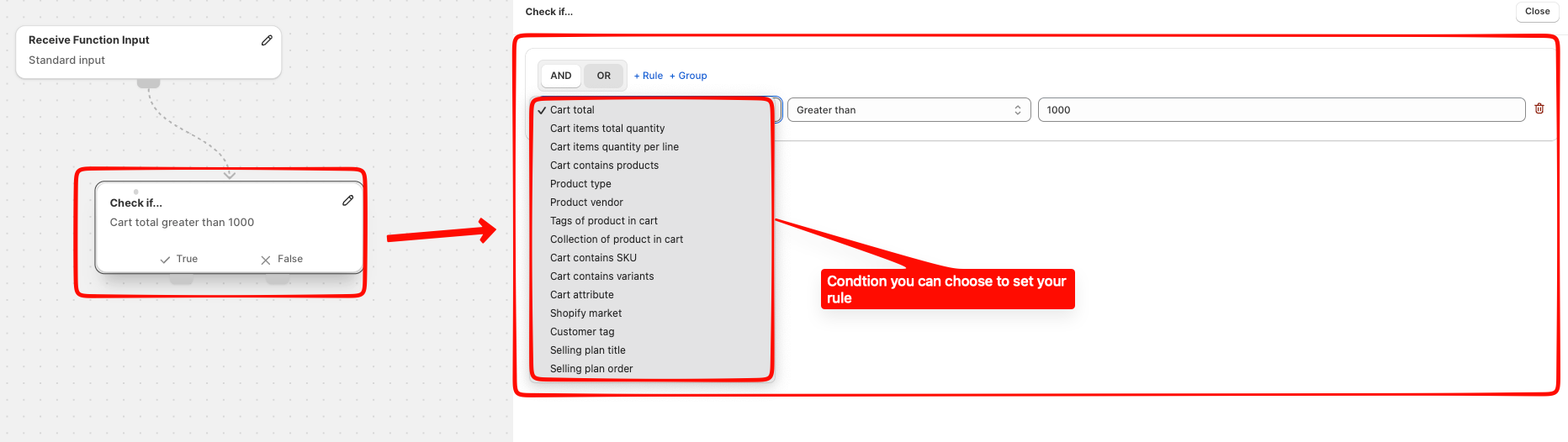
After you have set your conditions you can proceed and create the next node.
If you have any questions or need assistance during setup, our team is here to help. You can contact the Nextools Support Team anytime via the in-app live chat or by email. We’ll be happy to assist you.
