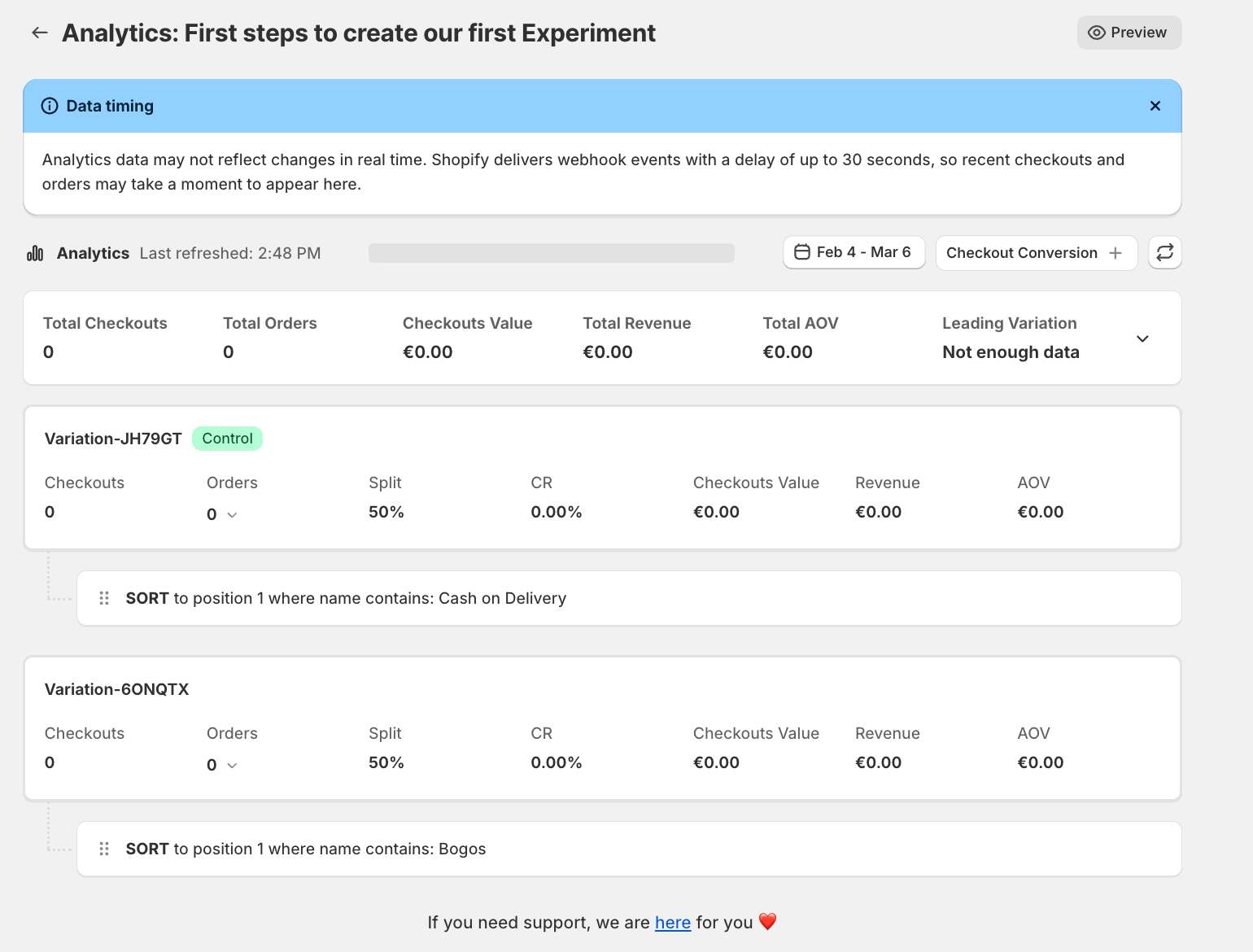
Once your ABCheck experiment is active, it runs automatically in the background for every customer who reaches your checkout. Here is what happens at each stage.
Traffic Assignment
When a customer reaches the checkout, ABCheck assigns them to one of your experiment variations based on your configured traffic split. If you have set a 50/50 split, roughly half of all checkout sessions will see Variation 1 and the other half will see Variation 2.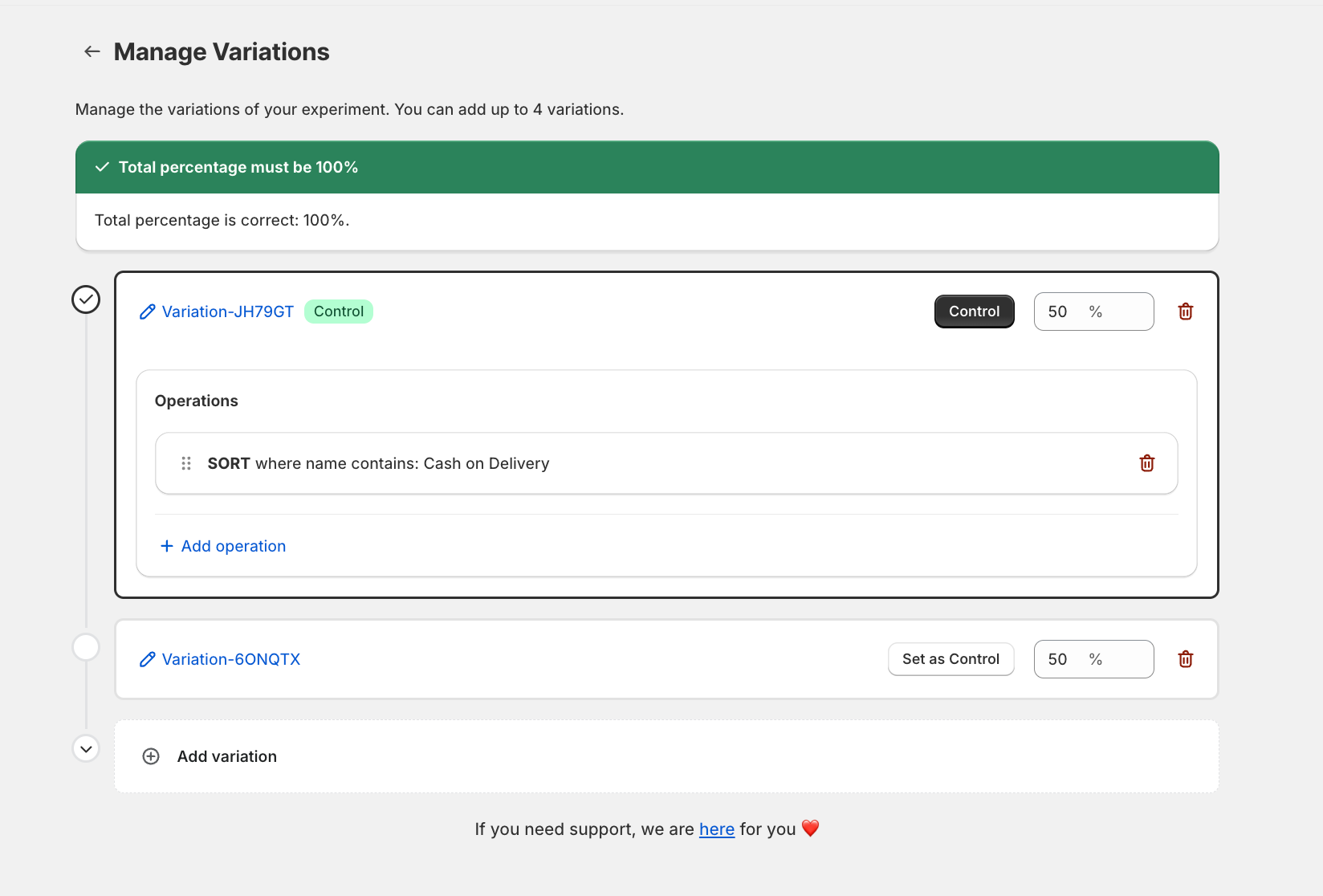
The assignment is session-based and uses webhooks on the checkout_create event to detect and record the session.
Payment Method Display
Based on the variation the customer is assigned to, ABCheck reorders the payment methods at checkout. If a variation specifies Cash on Delivery at position 1, that customer will see Cash on Delivery as the first (and most prominent) payment option.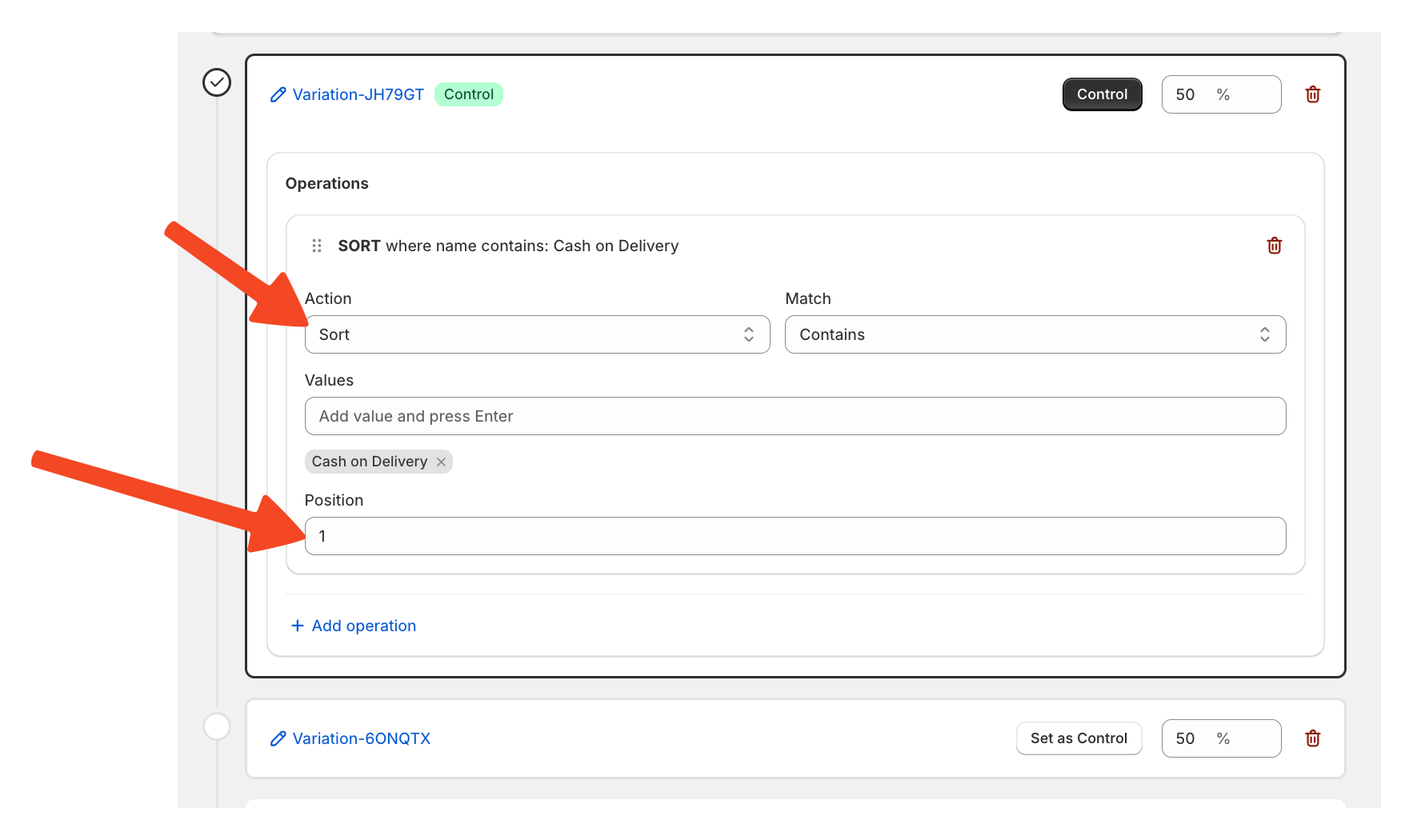
This reordering happens natively inside the Shopify checkout using the checkout extension no custom code or theme edits are required.
Tracking and Recording
ABCheck listens to three key Shopify webhooks to track experiment outcomes:
-
checkout_create – records the start of a checkout session and variation assignment
-
checkout_update – records any updates made during the checkout flow
-
orders_create – records when a checkout results in a completed order
This data is used to calculate your success metric either checkout conversion rate or average order value per variation. 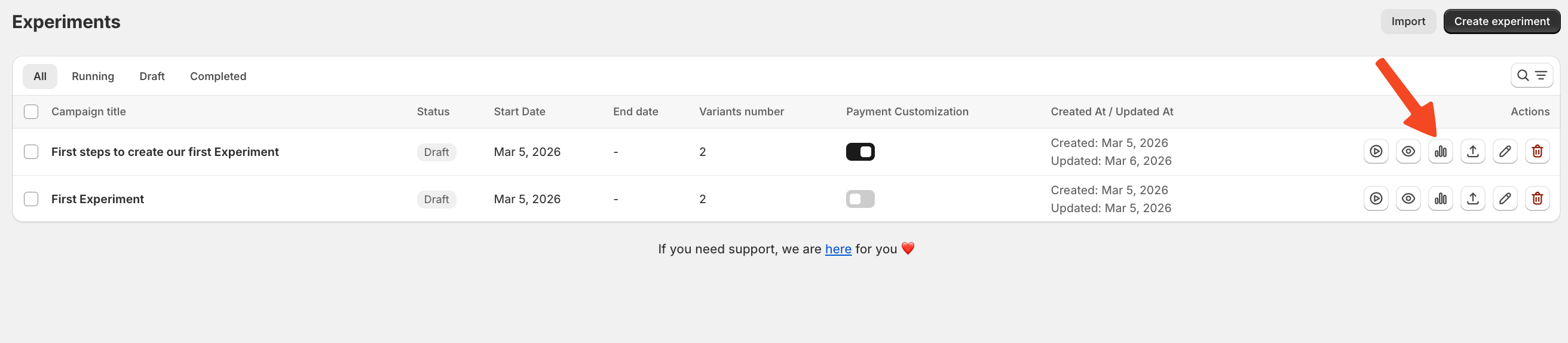
Viewing Live Results
From the ABCheck dashboard, click on your active experiment to open the Analytics page. Here you will see:
-
Number of checkout sessions per variation
-
Number of completed orders per variation
-
Conversion rate per variation
-
Current leading variation