
Setting up rules to prevent users from checking out is quite simple. One such use case could be blocking the user’s checkout if a certain item is in the cart. Prevent users from doing that by following the steps below:
-
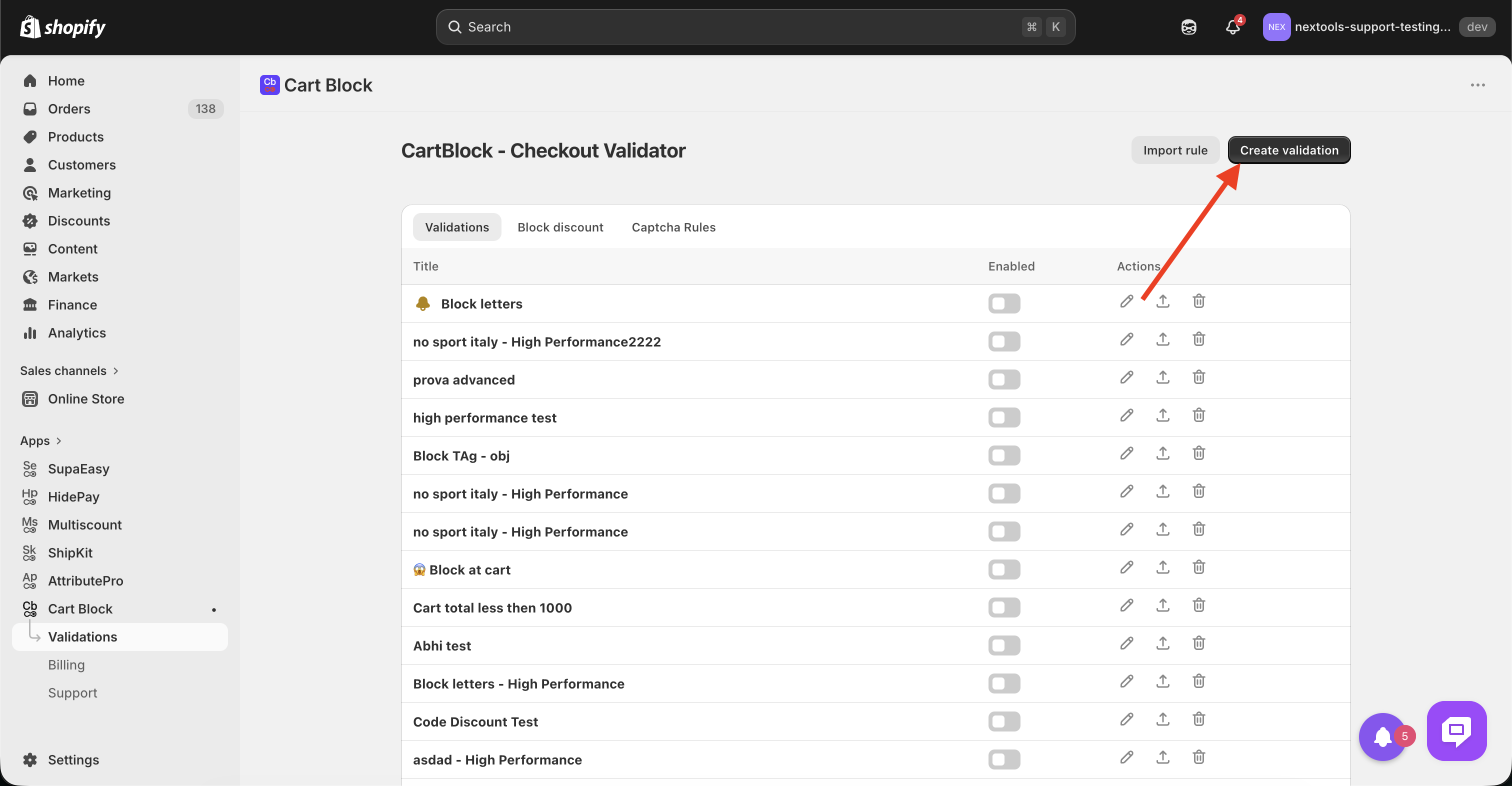
Click on create validation:
-
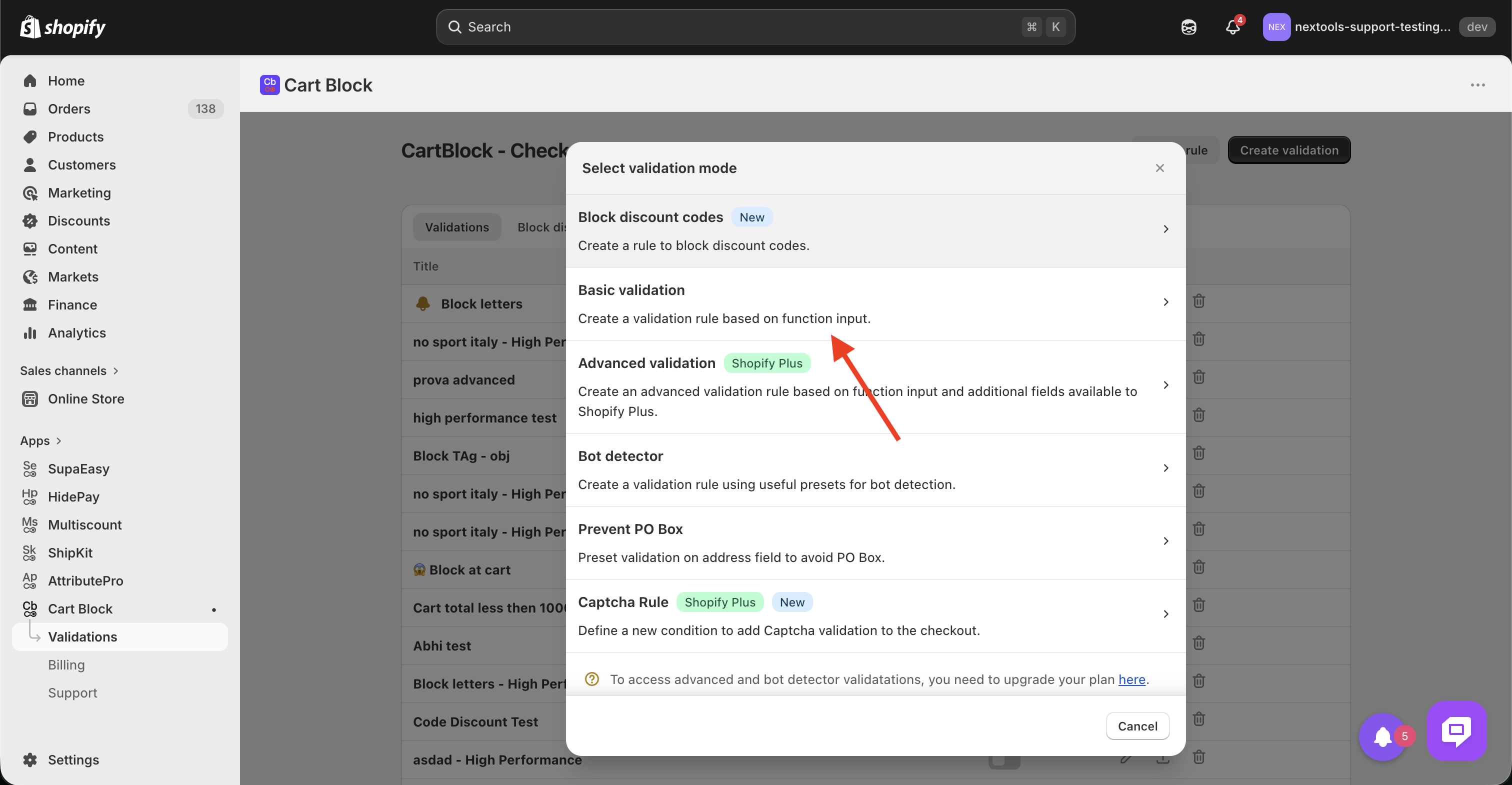
Choose Basic validation from the popup.
-
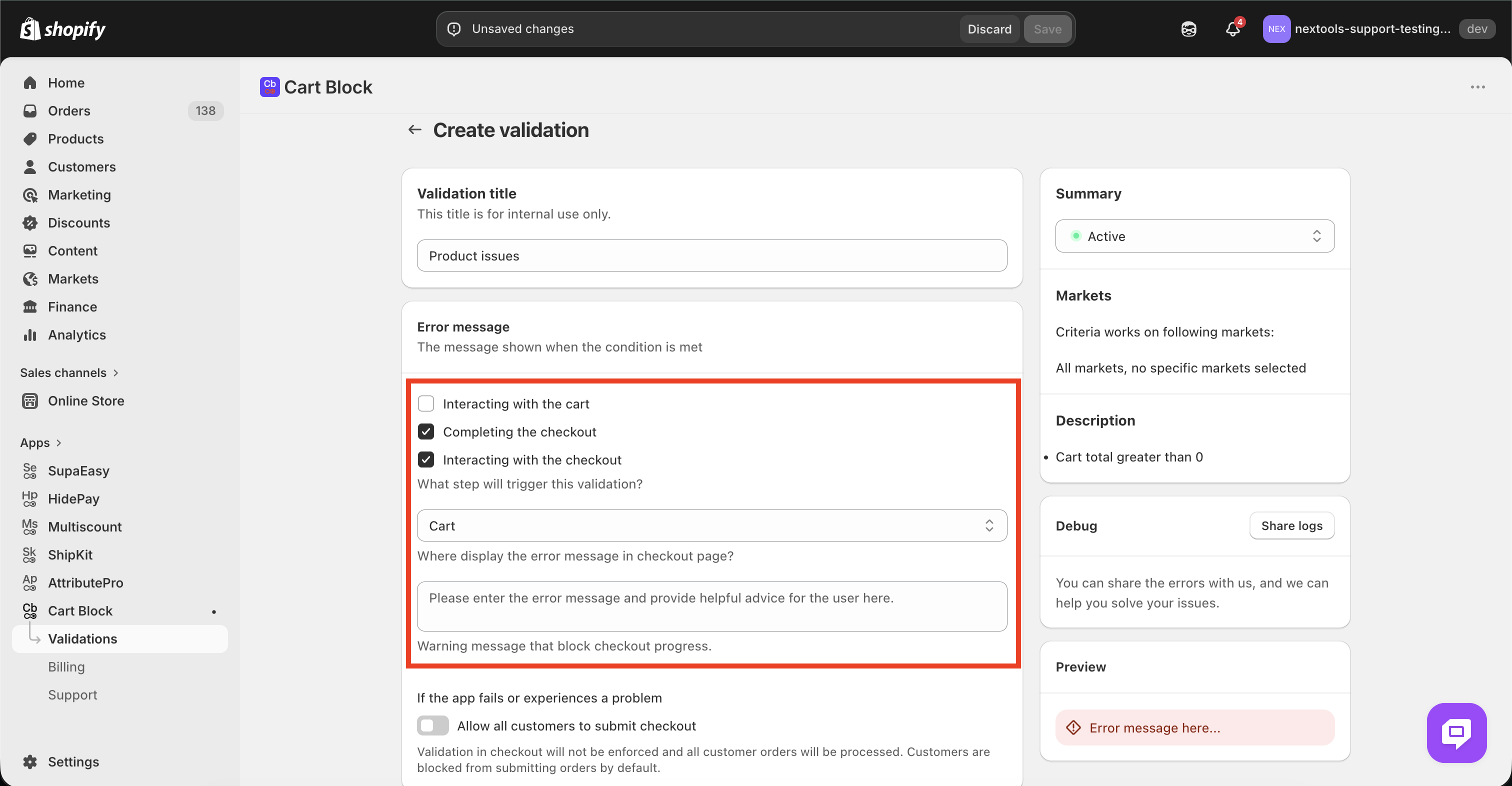
Type in the Validation title and configure error message, this includes what message will be shown to the customers and steps/positions it’ll be shown at
-
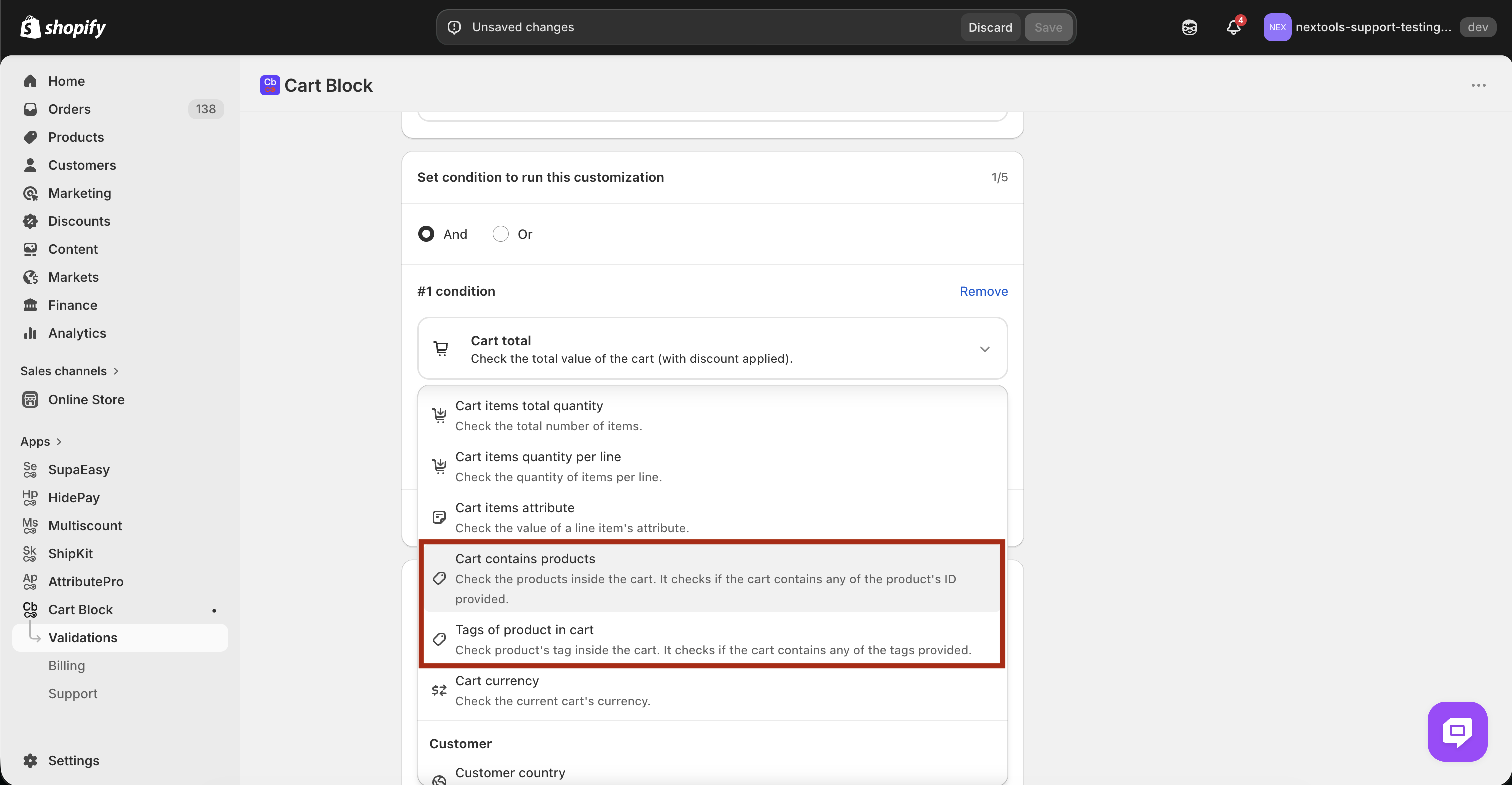
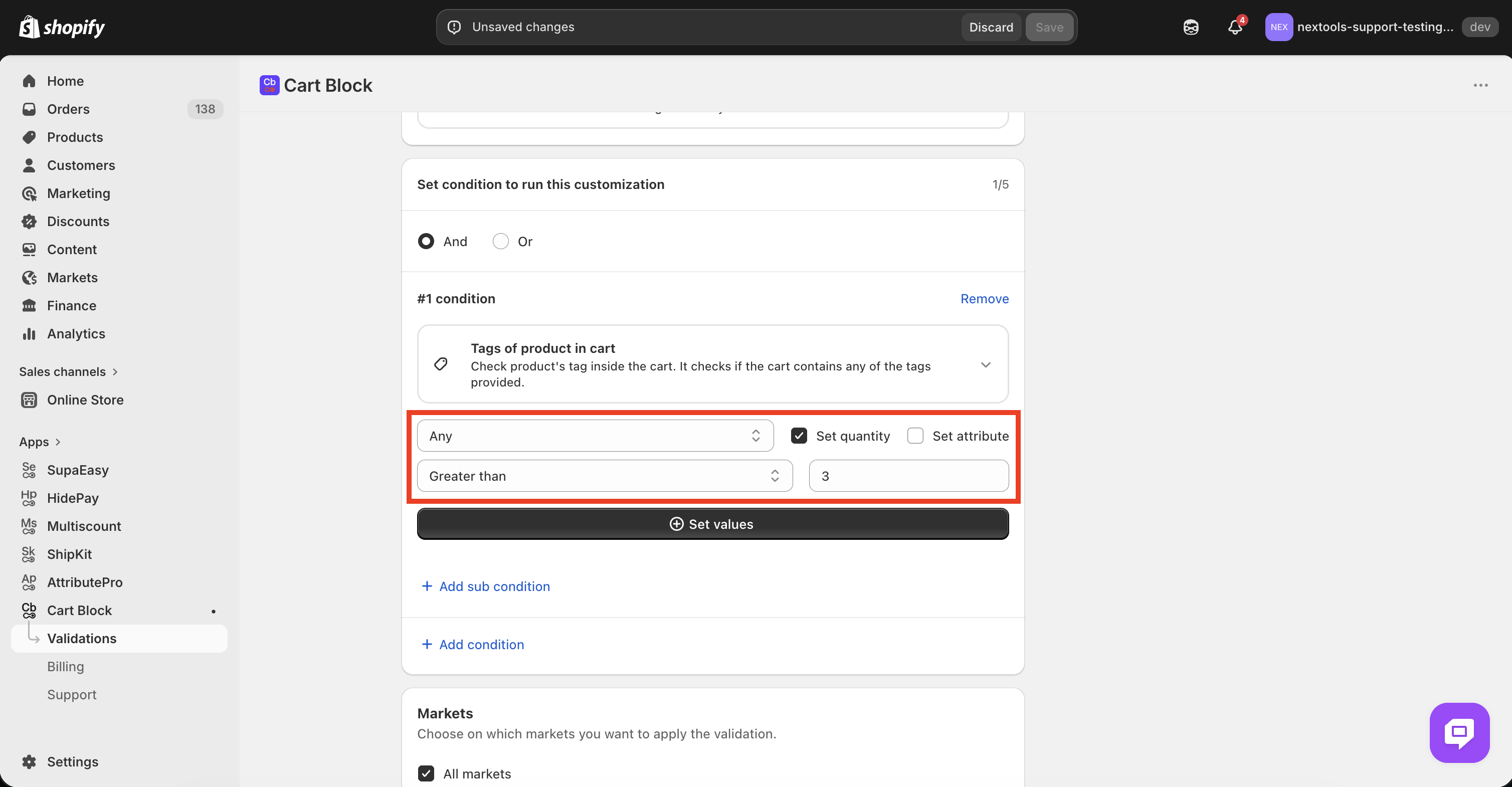
Now, scroll down to the condition section and choose either certain products to limit by products or you can use products tag so that you don’t have to add IDs of all the free items, even if they change in the future. I’ll go ahead and choose tags of products in the cart for this example.
-
Once done, the last step is to setup the tags it must check for, click on the set value button to do that.
-
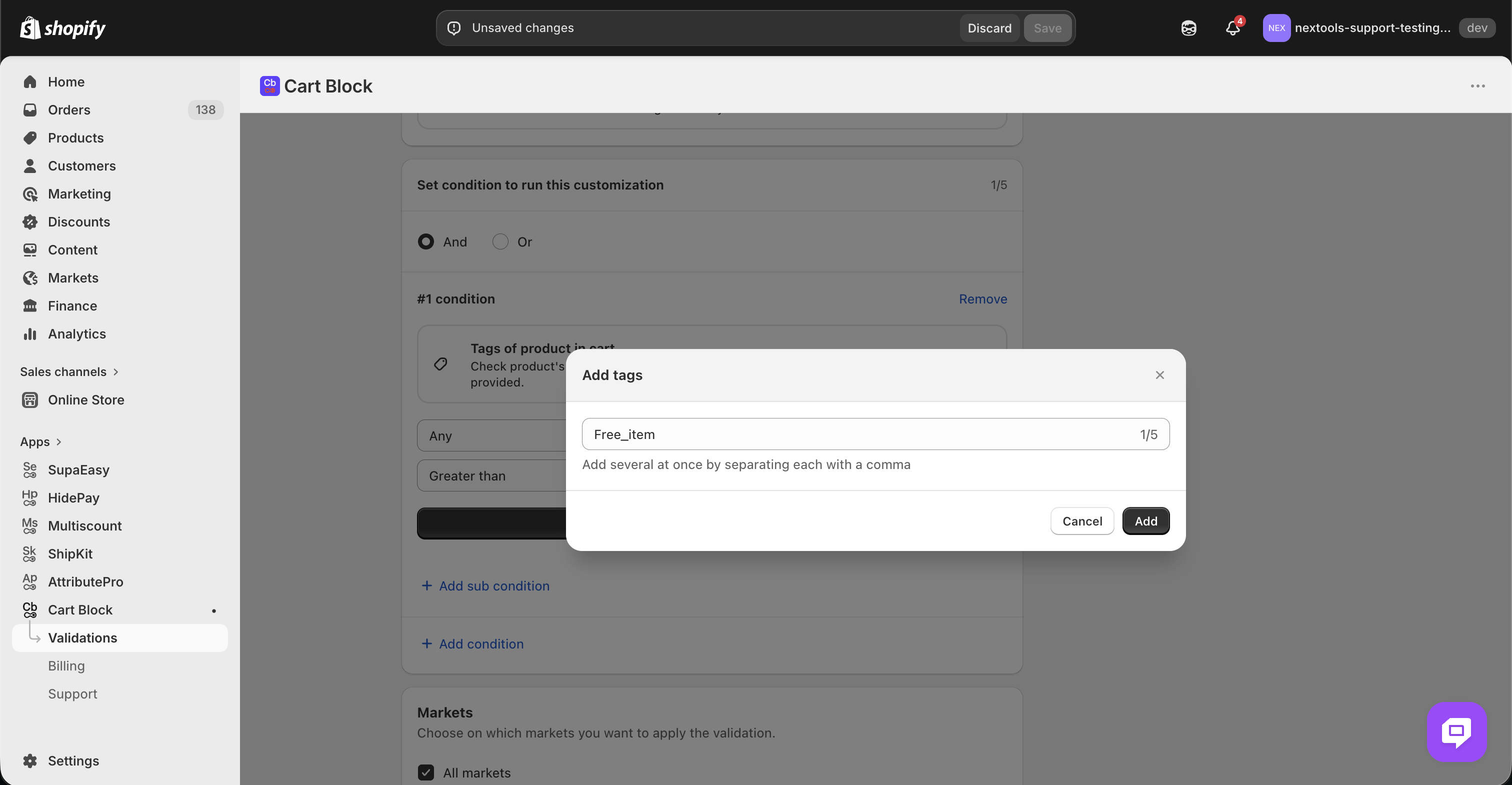
This will open a dialog box where you can enter the tag you’d like to check to check for.
-
And done, you’re all good, just save the validation function and you’re good to go!
If you run into any issues, feel free to reach out to our support team via the live chat on the bottom right or by email us at: support@nextools.tech
