
In this tutorial, we will show you how to hide PayPal, Cash on Delivery (COD), or any other payment method using Cart Attributes.
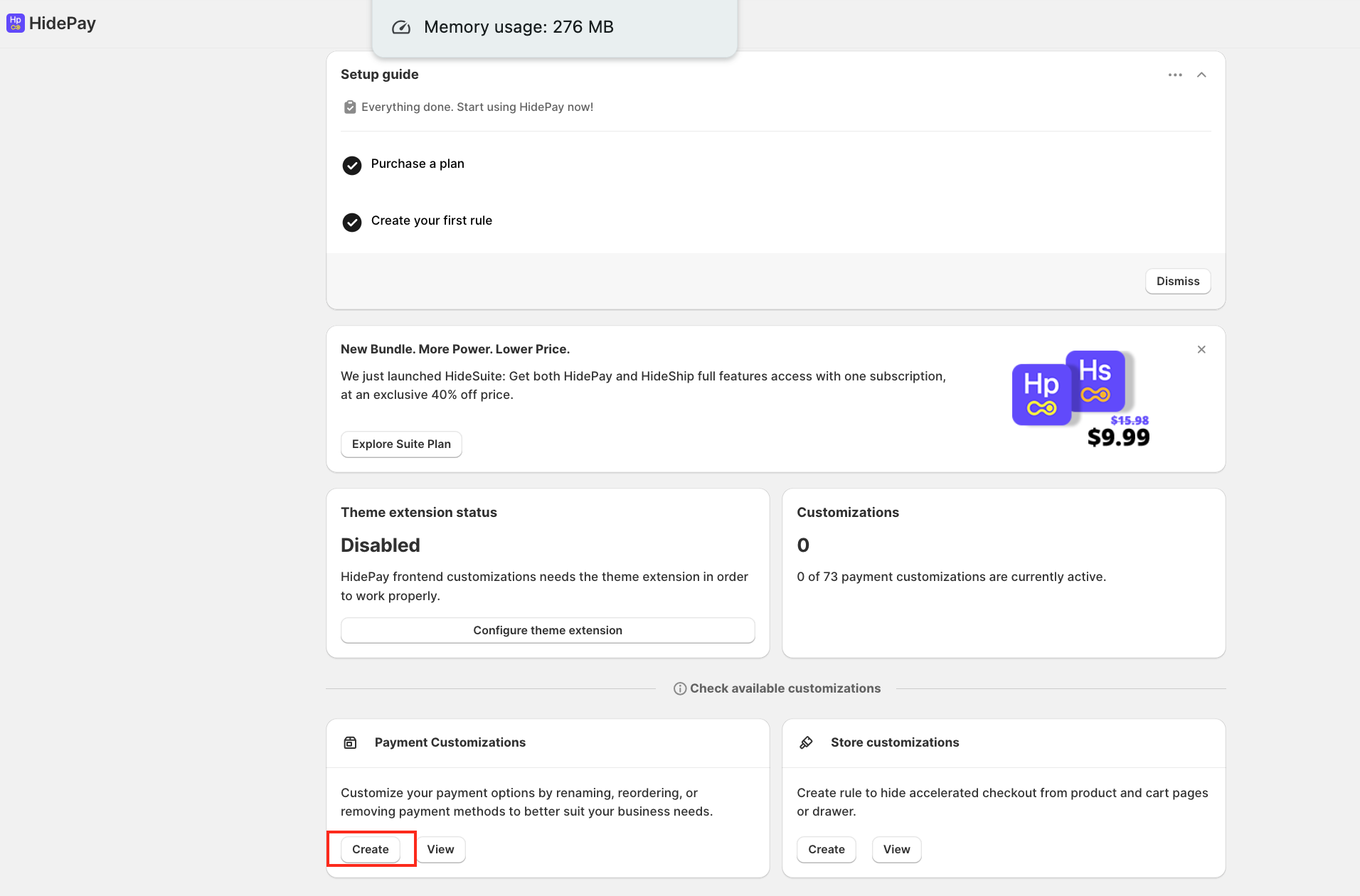
Let’s get started with Simple Customisation. Click on Create under Payment Customisation.
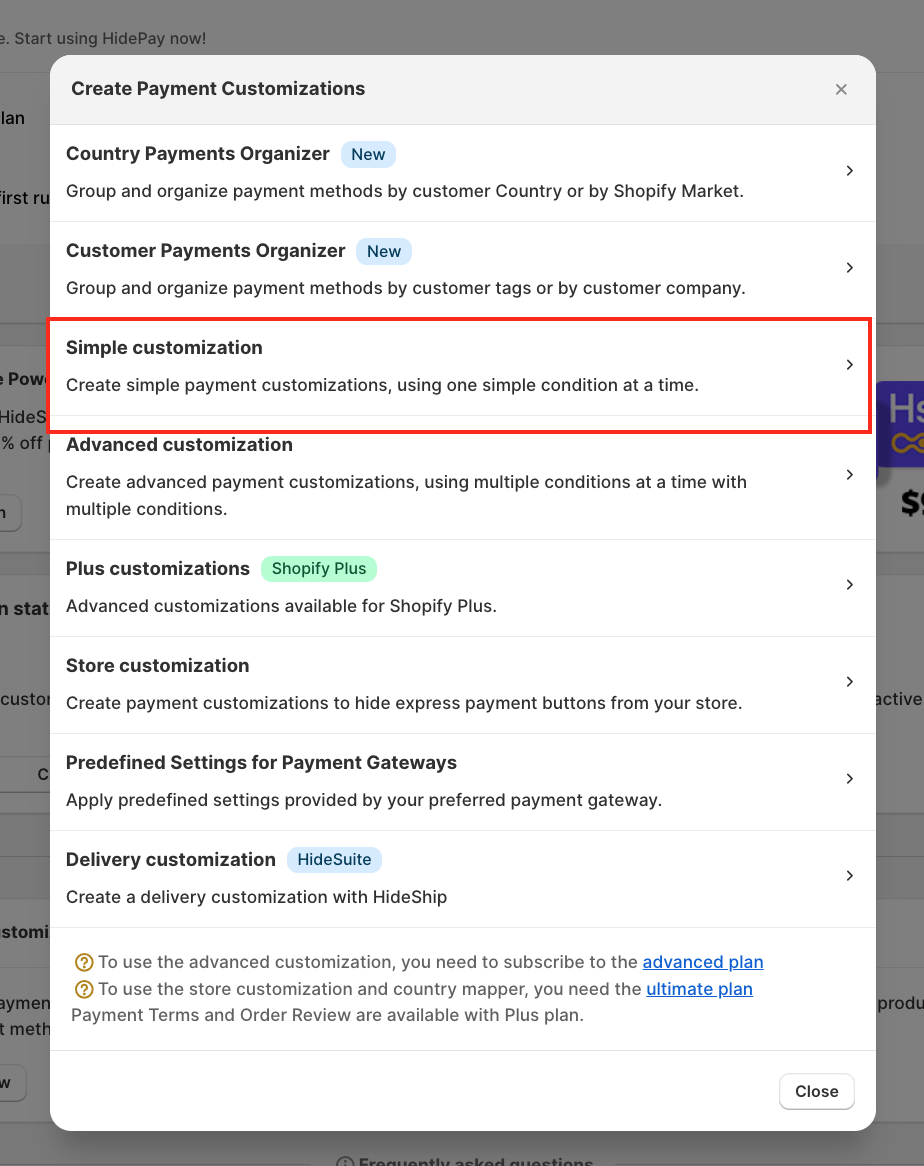
A pop-up window will appear. Select Simple Customization.
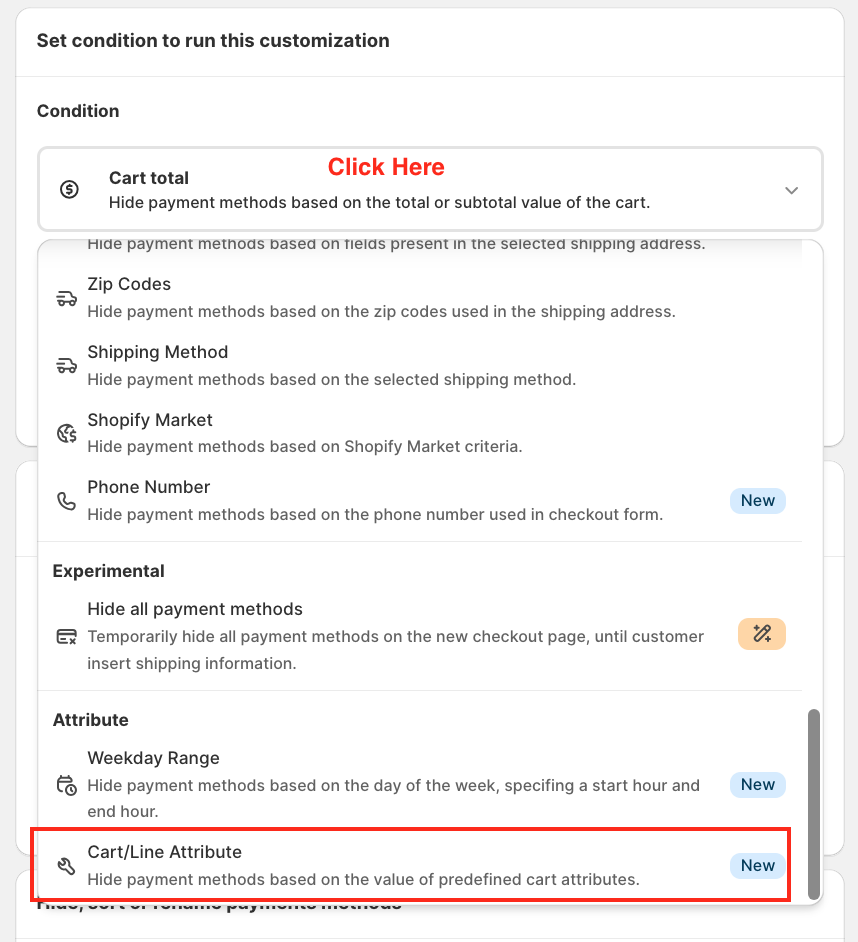
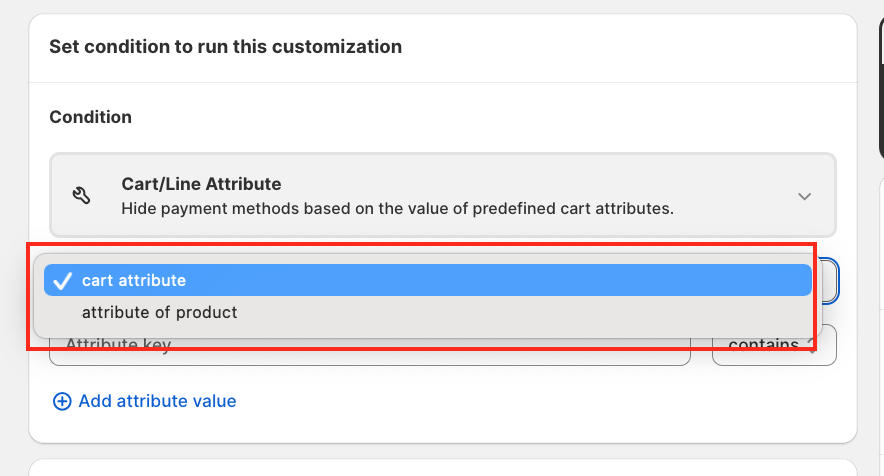
Click on the Condition section. Scroll down and select Cart/Line Attribute (this is a new feature in HidePay). When selected, you will see two options: Cart Attribute/Line Attribute
👉 For this tutorial, select Cart Attribute.
 Configure the Attribute Rule
Choose whether the attribute key includes or does not include a value.
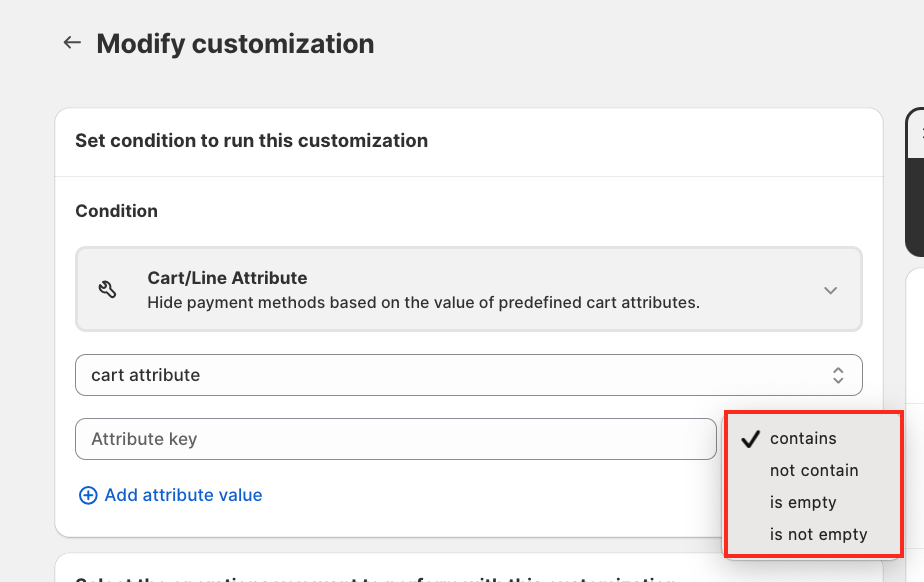
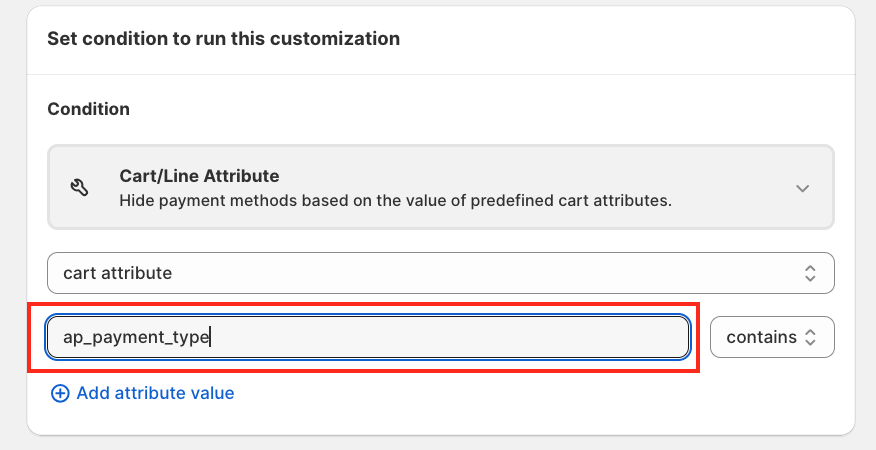
Enter the Attribute Key based on your Shopify store setup.
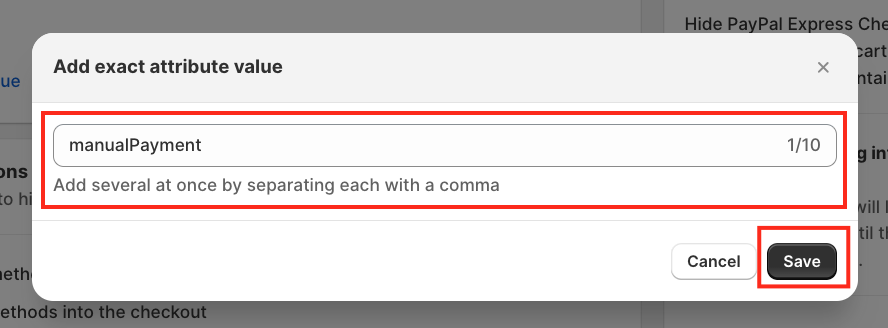
Add the Attribute Value.
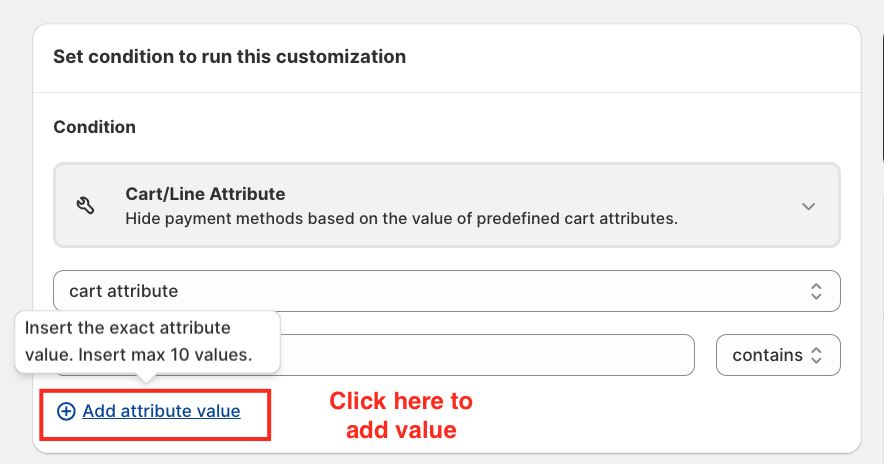
A pop-up will appear to enter the attribute value.
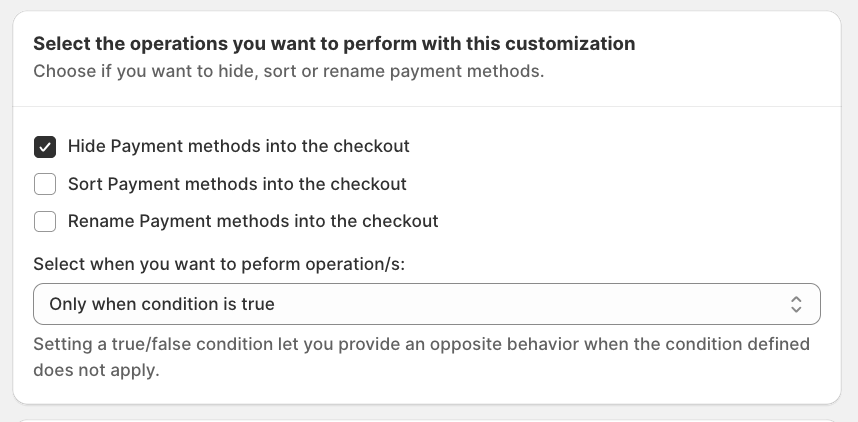
Choose what you want to do with the payment methods: Hide, Sort and Rename
👉 In this tutorial, we are selecting Hide Payment Methods.
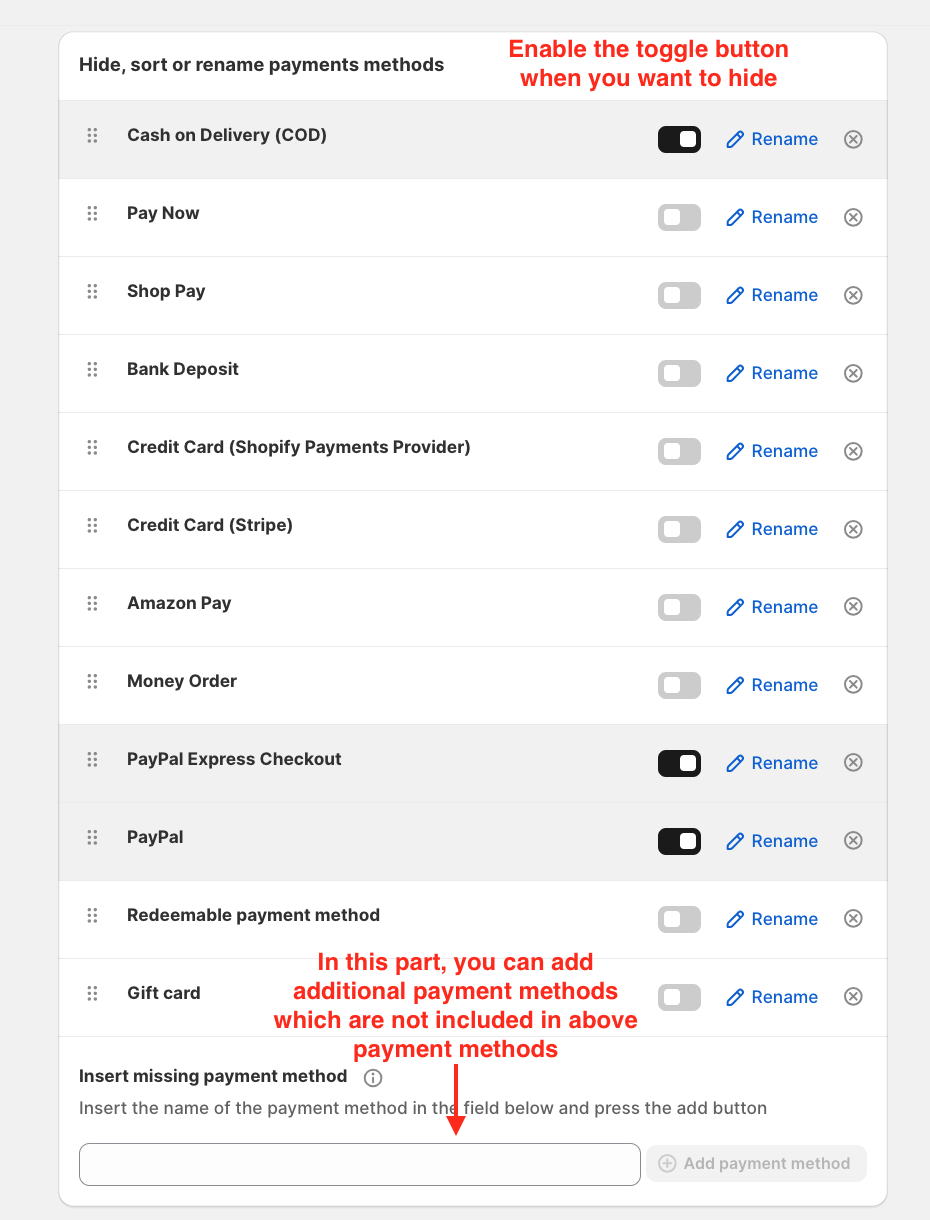
Turn ON the toggle button to activate the rule when hiding payment methods.
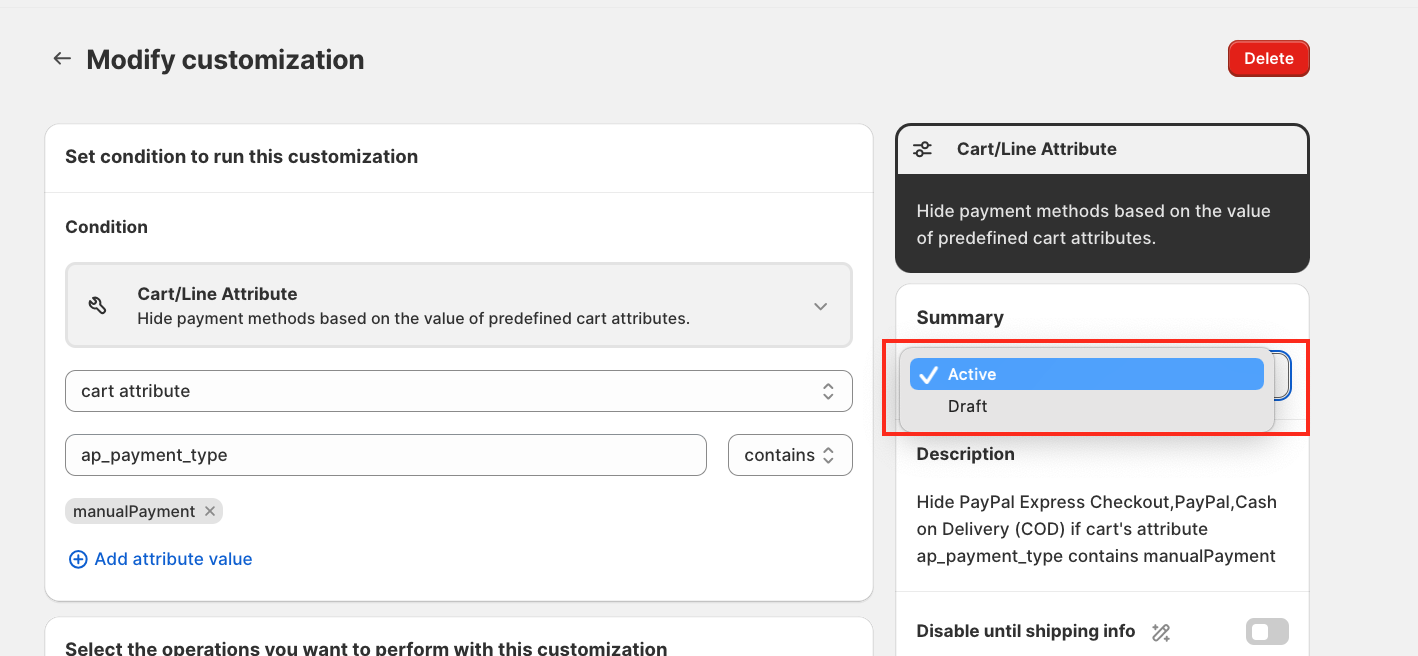
Save to activate the rule. Your configuration is now complete.
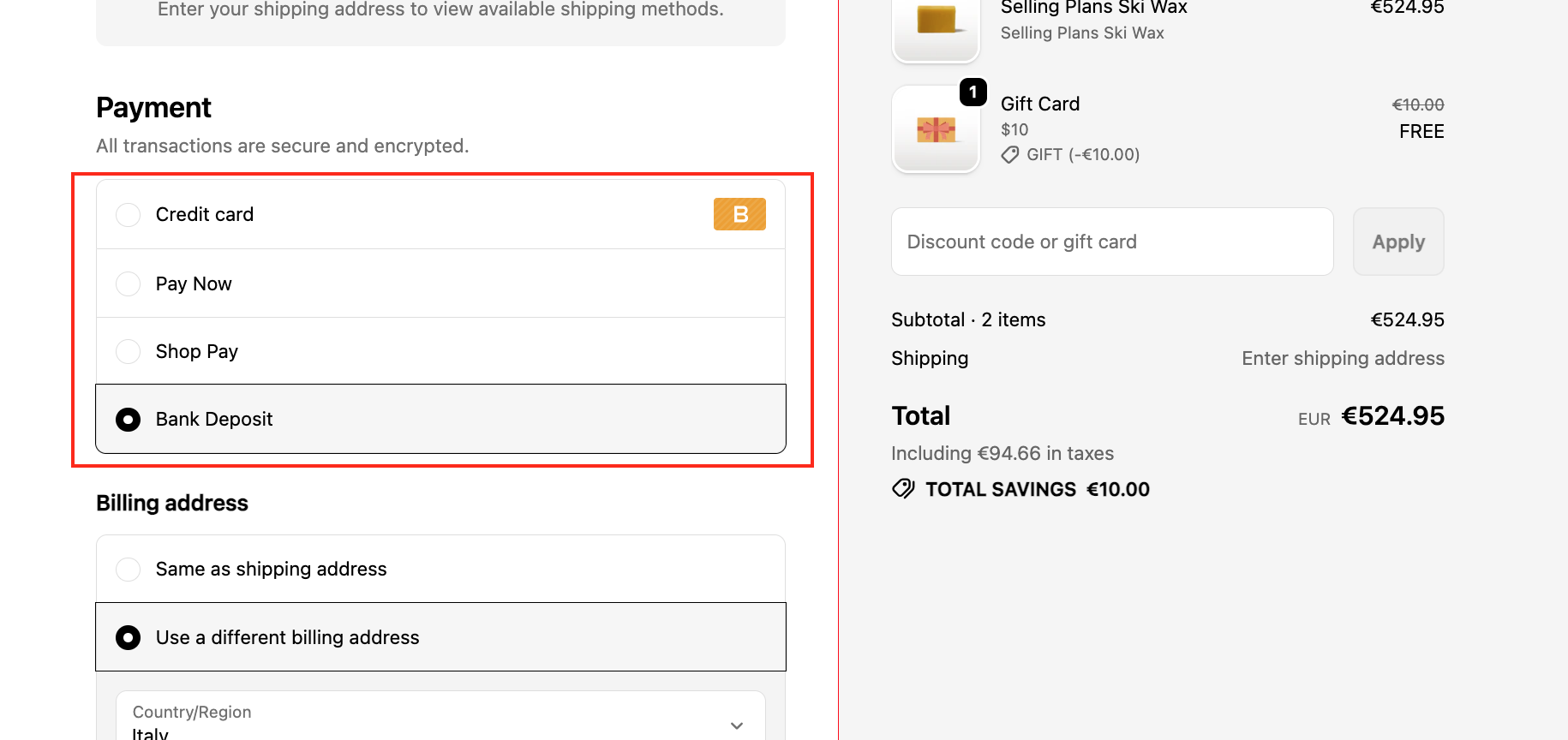
Before activating the rule, You will see COD and PayPal payment methods.
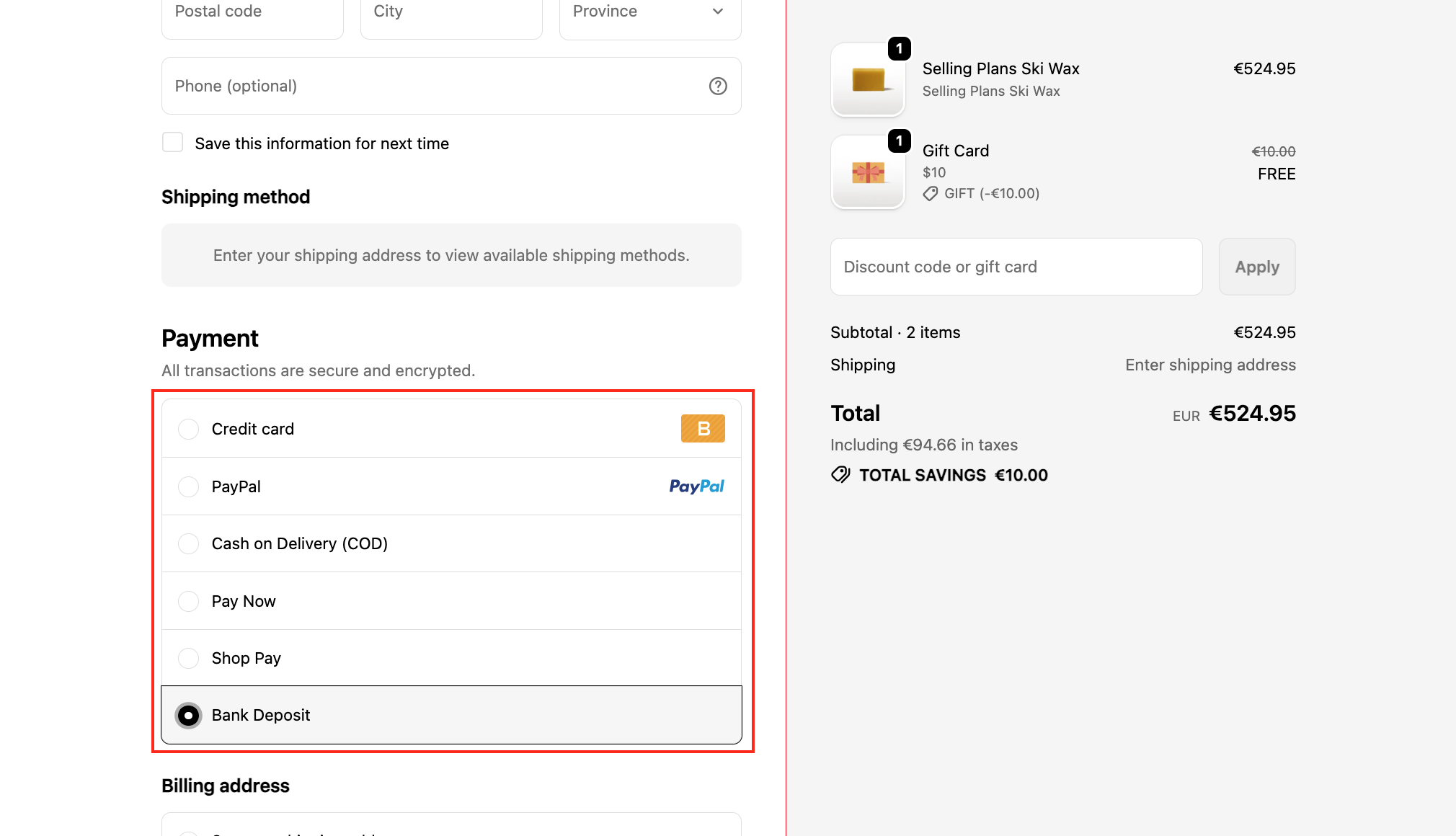
After activating the rule: COD and PayPal payment methods will be hidden successfully.
✅ The rule is now working perfectly.
If you have any questions or want to learn more about other features, feel free to reach out. We’re happy to provide detailed guidance.
🚀 We’re here to support you with the HidePay application!
