
Filtering cart lines allows you to isolate specific items in a cart before applying actions like discounts or any other rules. When configuring a filter rule in SupaEasy Flow, selecting the correct data source determines whether your node evaluates the original cart payload or the results of previous nodes.
What You'll Need
-
An active SupaEasy account with an existing flow.
-
At least one filter node configured to evaluate cart line items.
Configure the Filter Rule Source
Open your filter node to view the rule settings. Under the Filter rule section, locate the Source dropdown field to choose how SupaEasy Flow evaluates incoming cart items.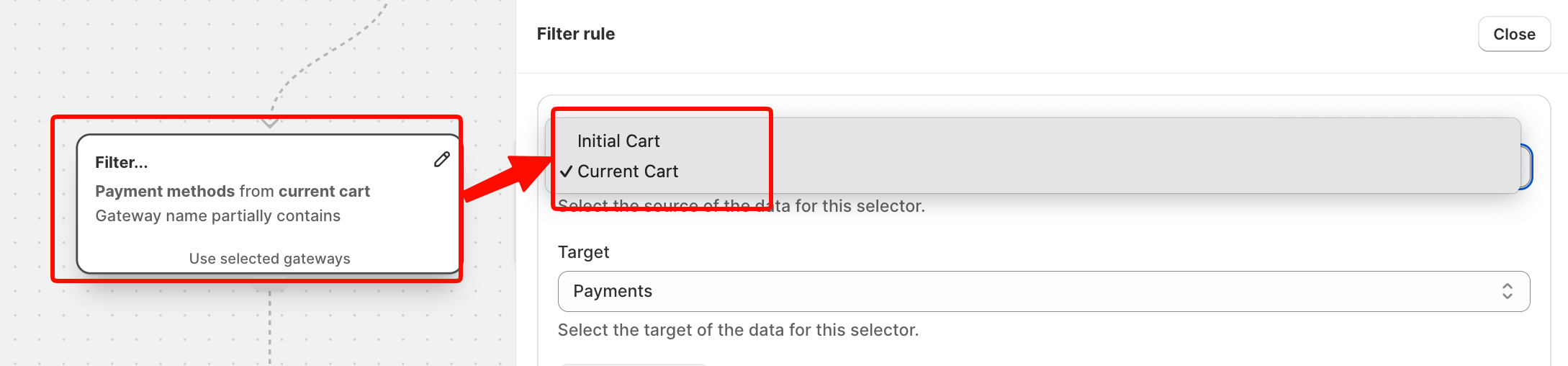
The Source setting offers two distinct qualifiers:
-
Initial Cart: Evaluates the exact raw cart payload received from Shopify at the start of the flow. Any line item exclusions made in preceding nodes are ignored.
-
Current Cart: Evaluates the modified cart state resulting from earlier nodes. Beyond filtering line items, it recalculates totals such as the subtotal amount and total amount, effectively creating a temporary virtual cart for downstream node evaluations.
Apply Sequential Filters Across Nodes
To build workflows where each node refines the cart further, configure your downstream filter rules using Current Cart.
Consider a cart containing three items: Item A, Item B, and Item C.
-
Node 1 filters the cart to keep only physical products, removing Item A.
-
Node 2 runs a second filter on the remaining items.
If Node 2 uses Initial Cart as the Source, it evaluates all three original items (Item A, Item B, and Item C).
If Node 2 uses Current Cart, it evaluates only Item B and Item C.
Warning: Selecting Initial Cart in a downstream node re-evaluates items that were excluded earlier in the flow execution. Use Current Cart if you want conditions to build on previous node results.
Tips and Best Practices
-
Select Initial Cart when a rule must evaluate full cart conditions regardless of prior node actions.
-
Select Current Cart when setting up step-by-step filters that narrow down items in a specific sequence.
-
Check the node preview panel on the canvas to confirm whether cart lines are referenced from initial cart or current cart context.
